
Stemdeck Pro
Sound pads, a looper and your plug-ins, for $0.99 a month
What Pro adds
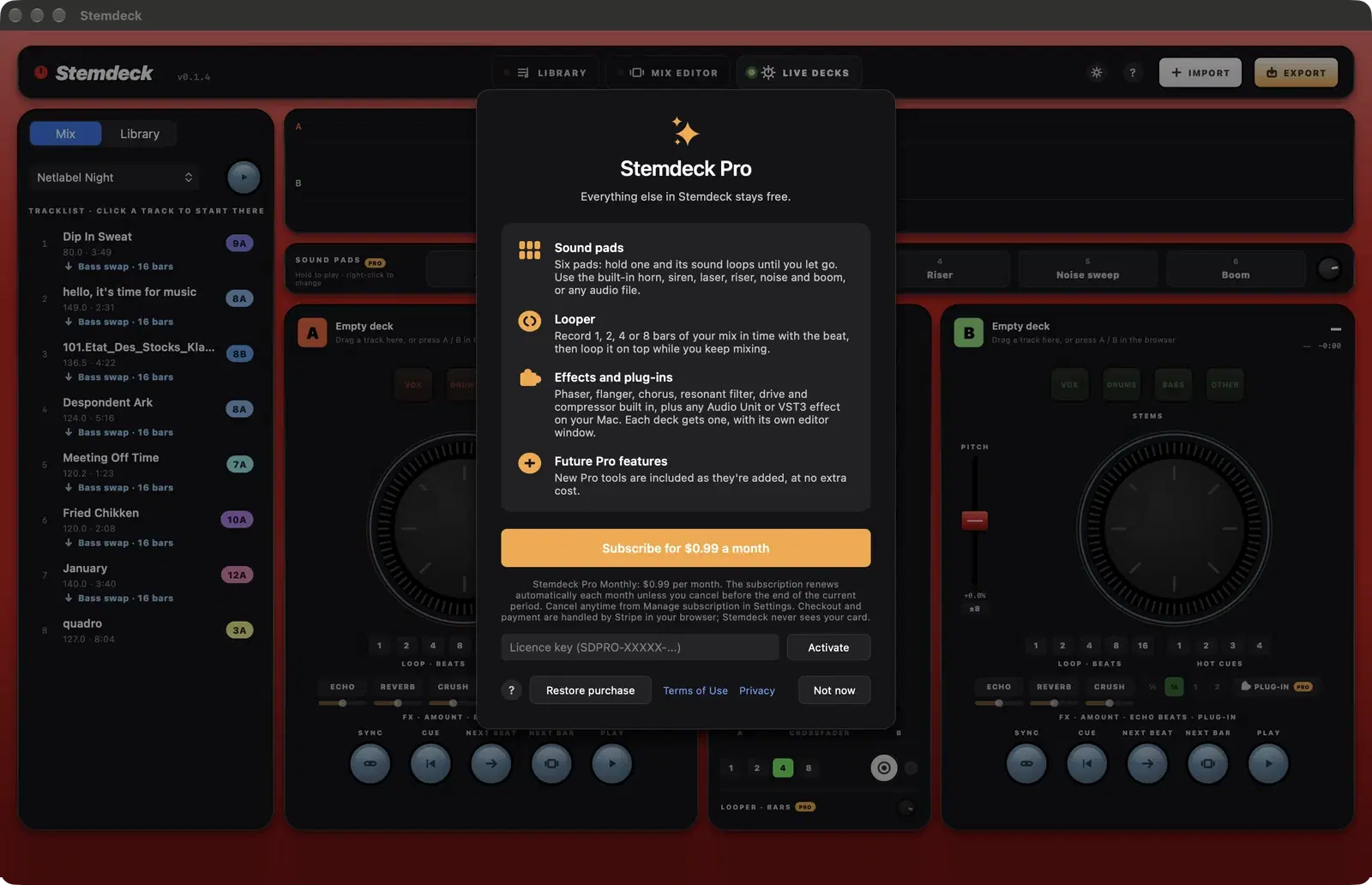
Sound pads
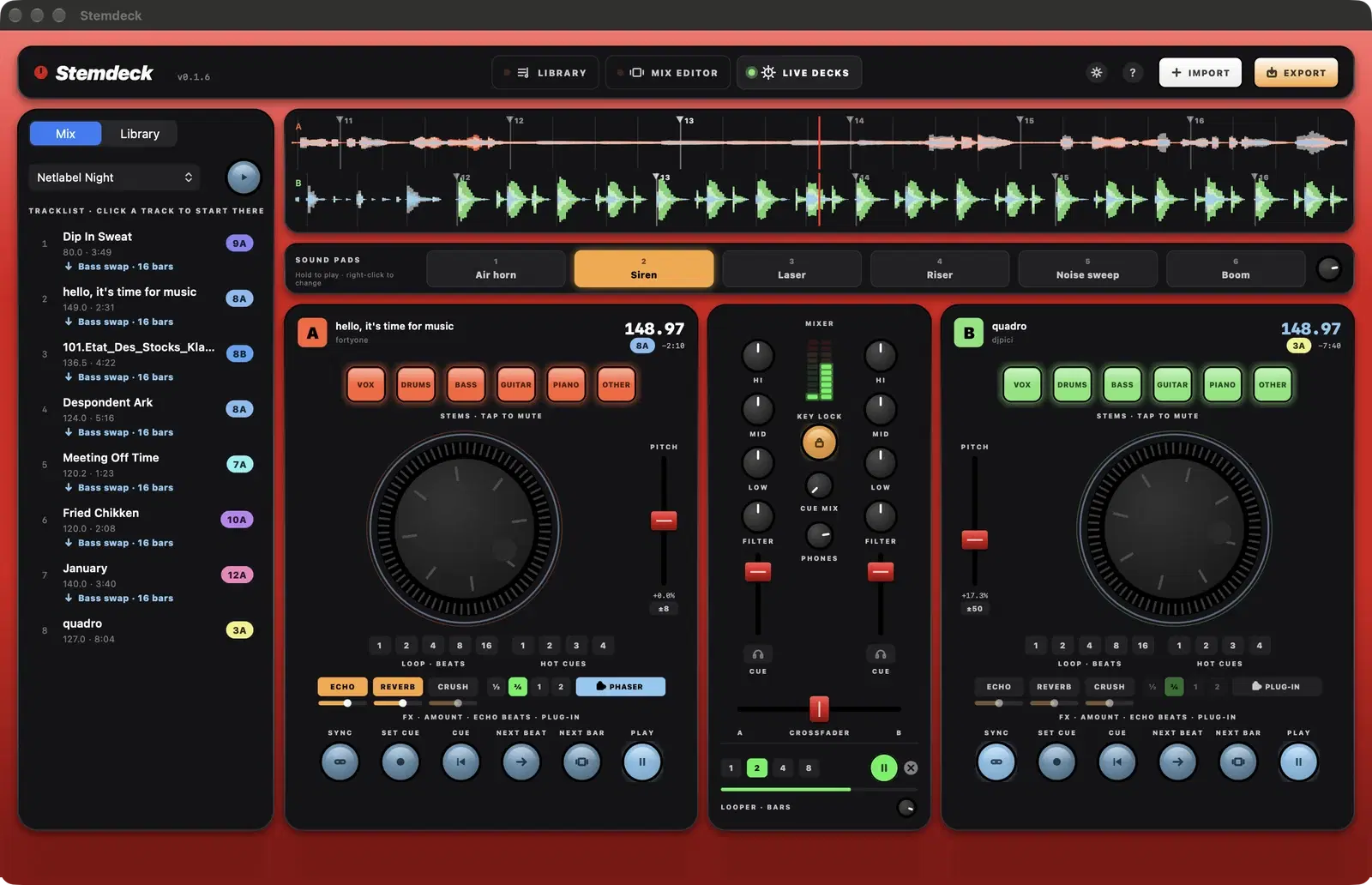
Six pads above the decks. Hold one and its sound loops until you let go. They start with a horn, siren, laser, riser, noise sweep and boom made inside Stemdeck, and you can right-click a pad or drop an audio file on it (up to 30 seconds) to use your own sound. Pads can be mapped to your MIDI controller.
Looper
Pick 1, 2, 4 or 8 bars and press record. Stemdeck captures your mix from the playing deck's next beat, then loops it on top in time while you keep mixing. Stop, restart or clear it, and set its level with its own knob.
Effects and plug-ins
Each deck has a plug-in slot. In the downloadable version for Mac, Windows and Linux it offers six built-in effects (Phaser, Flanger, Chorus, Resonant filter, Drive and Compressor) and your VST3 plug-ins, plus Audio Units on Mac; on the Mac App Store version, any Audio Unit effect on your Mac. The slot sits after the deck's built-in effects, opens in its own editor window and is remembered with its settings. Plug-ins run in a separate process, so a misbehaving plug-in can't take your set down with it.
Future Pro features
New Pro tools are included in the same subscription as they're added, at no extra cost.
How to subscribe
- Click any Pro control on the live decks (a sound pad, the looper or a deck's Plug-in button), or choose Stemdeck Pro in the Stemdeck menu.
- Click Subscribe. The App Store confirms the price and charges your Apple Account.
- The sound pads, looper and plug-in slots unlock straight away.
Already subscribed on another Mac? Click Restore purchase on the same screen.
Subscribe with Stripe
For Stemdeck on Windows and Linux, and the downloadable Mac version. The Mac App Store version uses your Apple Account instead (above).
1. Subscribe
Click Subscribe on the Stemdeck Pro screen. Stripe's secure checkout opens in your browser: pay $0.99 a month by card, Apple Pay or Google Pay. Prices show in your currency where Stripe supports it.
2. Pro unlocks by itself
Go back to Stemdeck: Pro unlocks on its own a few seconds after you pay, as long as Stemdeck stayed open. The thank-you page in your browser shows your licence key (SDPRO-XXXXX-XXXXX-XXXXX-XXXXX). Keep it; it's on your monthly Stripe invoices too.
3. Another computer, or a reinstall
Open Stemdeck Pro, paste your licence key into the licence key field and click Activate. Restore purchase checks a key you've already entered. Settings, Stemdeck Pro shows the key and can remove it from a computer.
4. Offline, renewals and cancelling
Pro works offline until the end of the month you've paid for, plus three days. Stemdeck checks with techwithyou.com at launch to pick up renewals. To cancel or change your card, choose Manage subscription in Stemdeck's Settings, or use your key on the Manage subscription page. Pro keeps working until the end of the paid month.
Plug-ins with their own editor
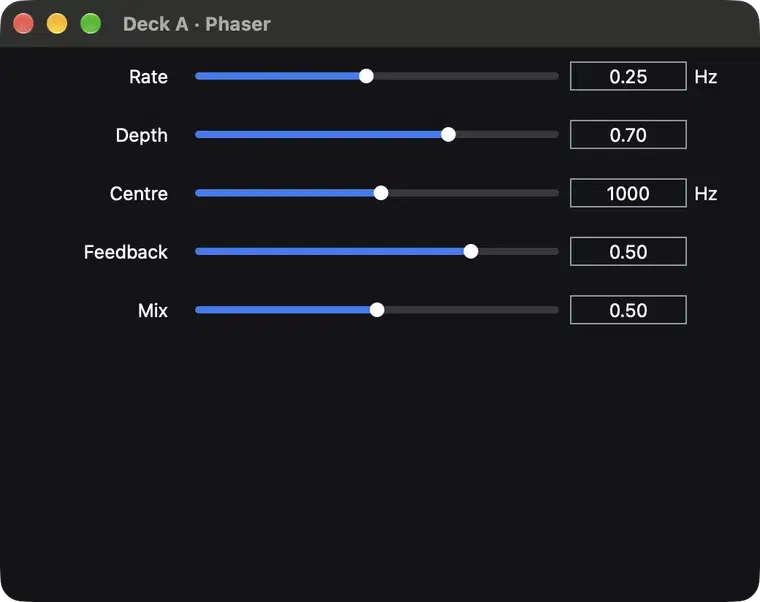
Pick a plug-in from a deck's Plug-in menu, grouped by maker, and its editor opens in a window next to Stemdeck. Plug-ins without their own interface get a standard panel with every parameter. The same menu reopens the editor, bypasses the plug-in or removes it.
Still free without Pro
- Stem separation on your Mac, with no limits
- The mix editor, transitions and stem curves
- Export to WAV, AIFF or AAC with tracklists and stems
- Two live decks with sync, hot cues, loops, EQ, filter and headphone cueing
- Echo, Reverb and Crush effects on each deck
- MIDI controller mapping
- Find music on the Internet Archive, Jamendo and Apple Music
Questions
How much does Stemdeck Pro cost?
$0.99 a month in the US, or the equivalent price set by Apple in your country. The App Store shows your local price before you subscribe.
Do I need Pro to use Stemdeck?
No. Stem separation, the mix editor, export, the live decks, Echo, Reverb and Crush, and MIDI mapping are all free. Pro adds the sound pads, the looper and plug-ins.
How do I cancel?
Open the App Store, click your name, then Account Settings and Subscriptions, or choose Manage subscription in Stemdeck's Settings. Cancel at least 24 hours before the end of the current month to stop the next renewal. Pro keeps working until the end of the month you've paid for.
Can I use Pro on more than one Mac?
Yes. Your subscription works on every Mac signed in to the same Apple Account. Choose Restore purchase on the paywall if a Mac doesn't pick it up straight away.
What about Windows and Linux?
Stemdeck for Windows and Linux, and the downloadable Mac version, have the same Pro features for the same $0.99 a month, plus six built-in effects and VST3 (and LV2 on Linux) plug-ins. You subscribe through Stripe in your browser and get a licence key; see Subscribe with Stripe above.
Which plug-ins work?
On the Mac App Store version: Audio Unit effects (AUv2 and AUv3) installed on your Mac, including the effects that come with macOS. Instruments aren't supported, and VST plug-ins aren't available on the Mac App Store version of any app. The Windows, Linux and downloadable Mac versions also have Stemdeck's own Phaser, Flanger, Chorus, Resonant filter, Drive and Compressor, plus VST3 effects (and LV2 on Linux, Audio Units on Mac).
Does Pro send any data to you?
No. On the Mac App Store version Apple handles the payment and Stemdeck only checks on your Mac whether your subscription is active. On the other versions Stripe handles the payment in your browser; Stemdeck sends only your licence key to techwithyou.com, at launch, to check the subscription is still active. Neither ever sees your card.
Stemdeck Pro Monthly is an auto-renewing subscription at $0.99 per month (US price; local prices vary). Payment is charged to your Apple Account when you confirm the purchase. It renews automatically each month unless you cancel at least 24 hours before the end of the current period, and you can manage or cancel it in your App Store account settings. See the Terms of Use and the Stemdeck privacy policy.