
 MusicMac, Windows, LinuxFree
Stemdeck
A free DJ app for Mac, Windows and Linux with six-stem separation, beat-matched mixes and live decks
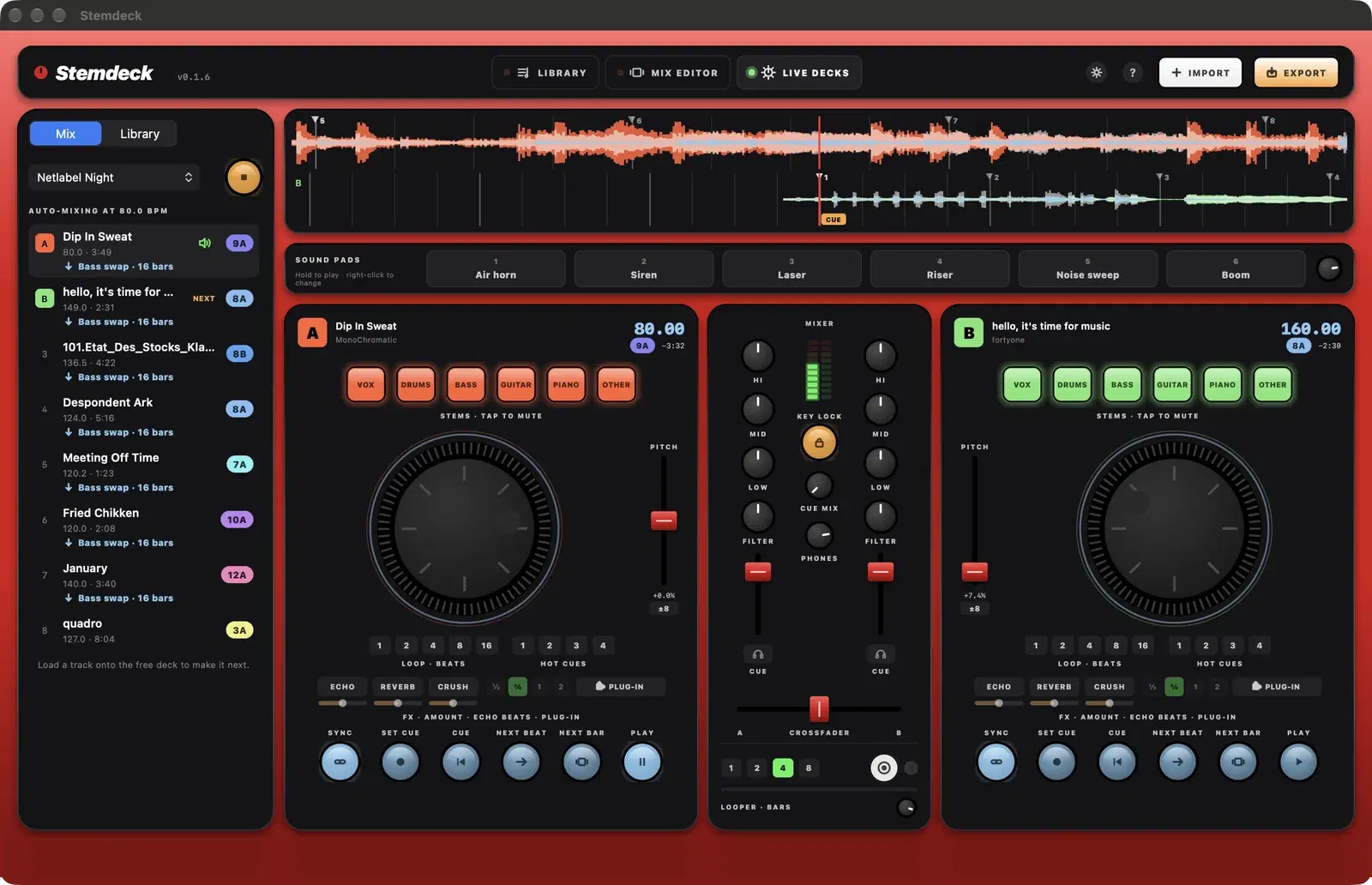
Stemdeck splits any track into six stems (vocals, drums, bass, guitar, piano and other), or four if you prefer, right on your computer, with no upload and no account. It runs on Mac, Windows and Linux. Then mix with those stems: swap basslines between tracks, drop the vocals out before the chorus or let the drums carry a transition.
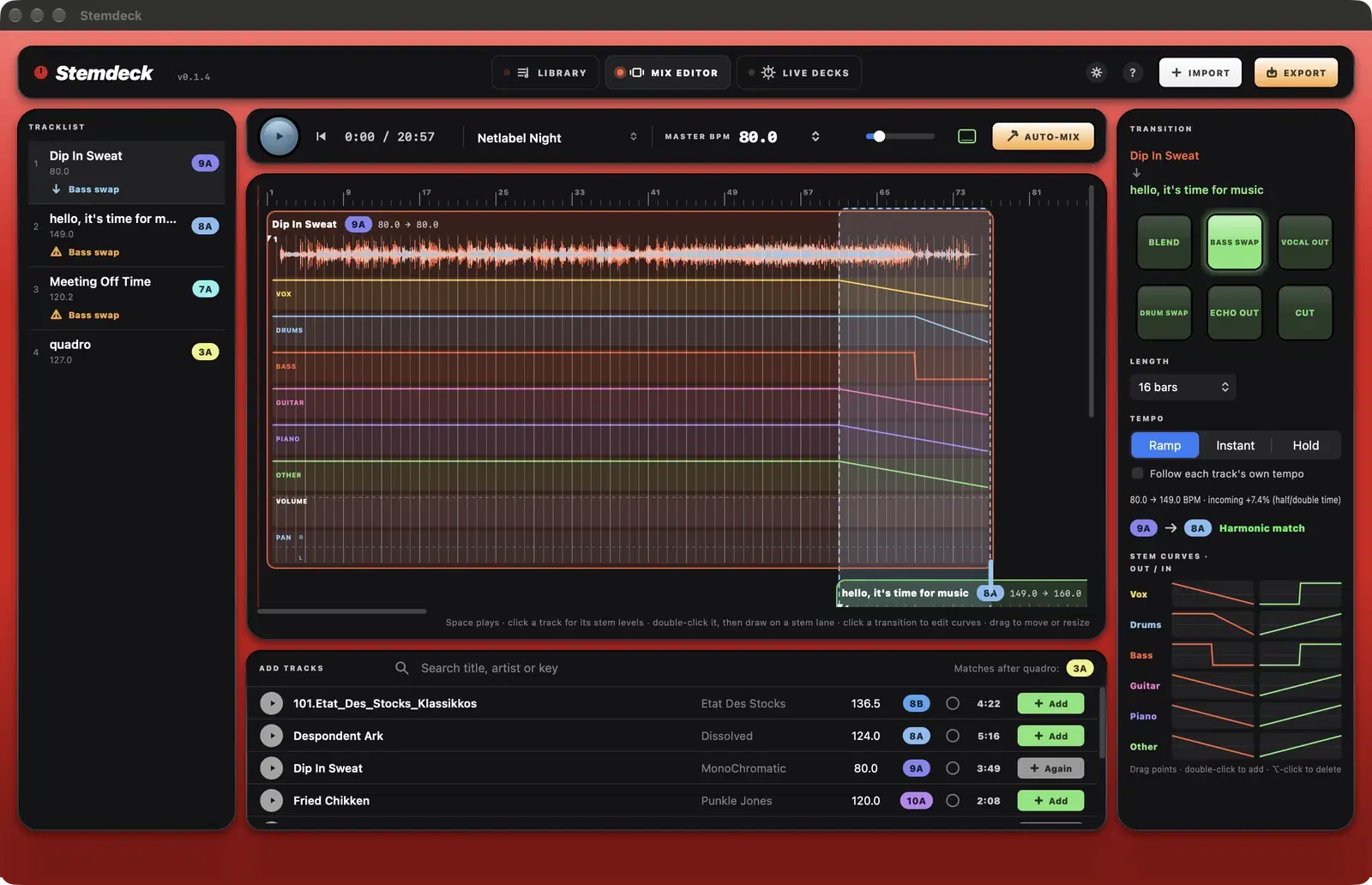
Build a set in the mix editor, where every track is beat-matched on a beat grid you can adjust and every transition has its own stem curves you can reshape point by point. Listen back as you edit and export the finished mix with a tracklist, or upload it to SoundCloud.
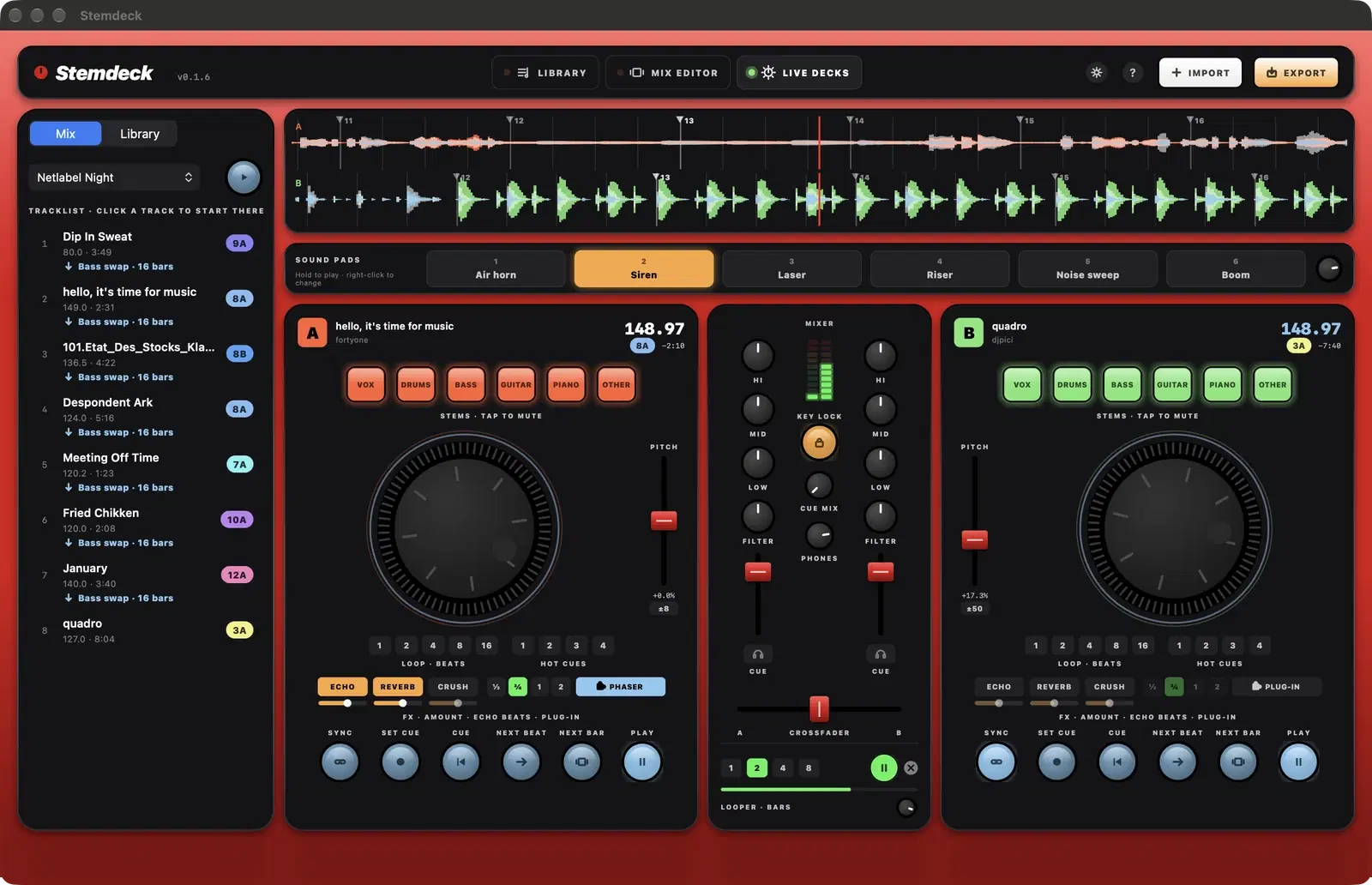
Or play it live on two decks with sync, key lock, hot cues, loops, EQ, filters, effects and headphone cueing, from the keyboard or a MIDI controller. Auto-mix plays a whole set across deck A and deck B, bringing each track in on the beat.
Features
Six-stem separation on your computer
- Split any track into vocals, drums, bass, guitar, piano and other, or four stems, with Demucs v4, on the GPU or Neural Engine of your Mac or on your PC.
- A five-minute track splits in about a minute, fully offline.
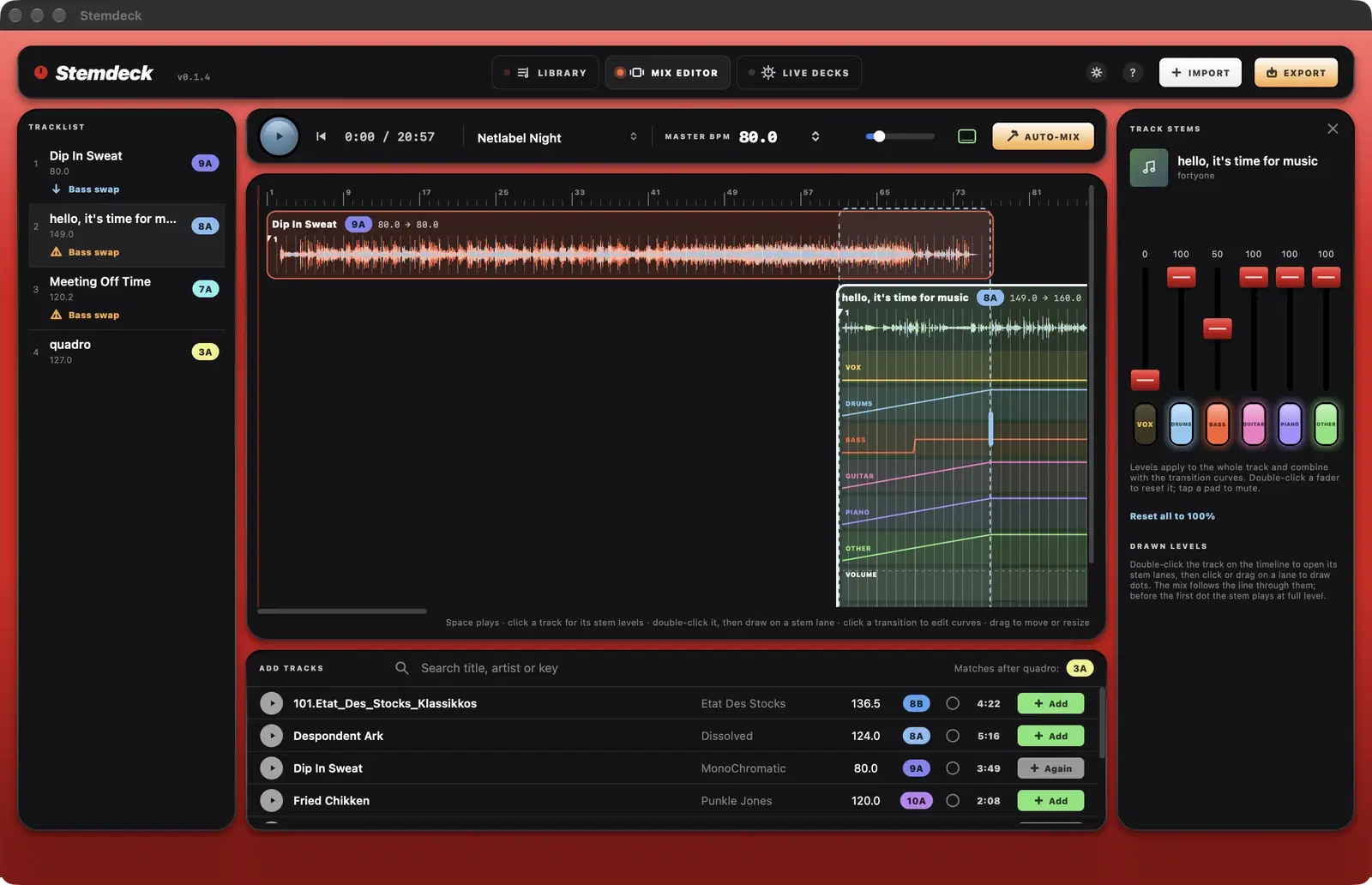
- Mute or rebalance stems per track, or tap a stem pad on a deck to drop it live.
Mix editor
- Tracks line up on a bar timeline, beat-matched to the mix tempo or gliding between each track's own tempo.
- Beat markers on every track: drag the grid onto the first downbeat and it snaps to the nearest onset.
- Transition presets: Blend, Bass swap, Vocal out, Drum swap, Echo out and Cut.
- Reshape any stem curve point by point, and drag tracks or transition edges to adjust timing.
- Draw each stem's level along a track with dots, like an automation clip, and the mix follows the line.
- Automation lanes for volume, pan, filter, echo, reverb and crush on every track (downloadable version).
- Auto-mix orders your tracks by key and tempo.
Listen and export
- Play the mix while you edit and hear changes straight away.
- Export to WAV, AIFF or AAC, normalised to -14 LUFS, with a CUE and text tracklist.
- Upload to SoundCloud with a timed tracklist ready to paste (Windows, Linux and the downloadable Mac version).
- Optionally export each track's stems alongside the mix.
Live decks
- Two decks with sync, beat-aligned phase, pitch, key lock, hot cues and loops.
- Three-band EQ, filter, crossfader and headphone cueing on a second output.
- Echo, reverb and crush on each deck, all at once if you like, plus stem pads to drop vocals, drums or bass live.
- Next beat and Next bar start a deck exactly on the other deck's beat or downbeat.
- Set cue saves a track's cue point, so it loads ready to drop and Cue returns there.
- Play from the keyboard: play, cue, sync, loops, hot cues, stem pads and the crossfader all have keys.
- Map any MIDI DJ controller with MIDI learn.
- Auto-mix plays a whole set across deck A and deck B with its transitions.
Stemdeck Pro (optional)
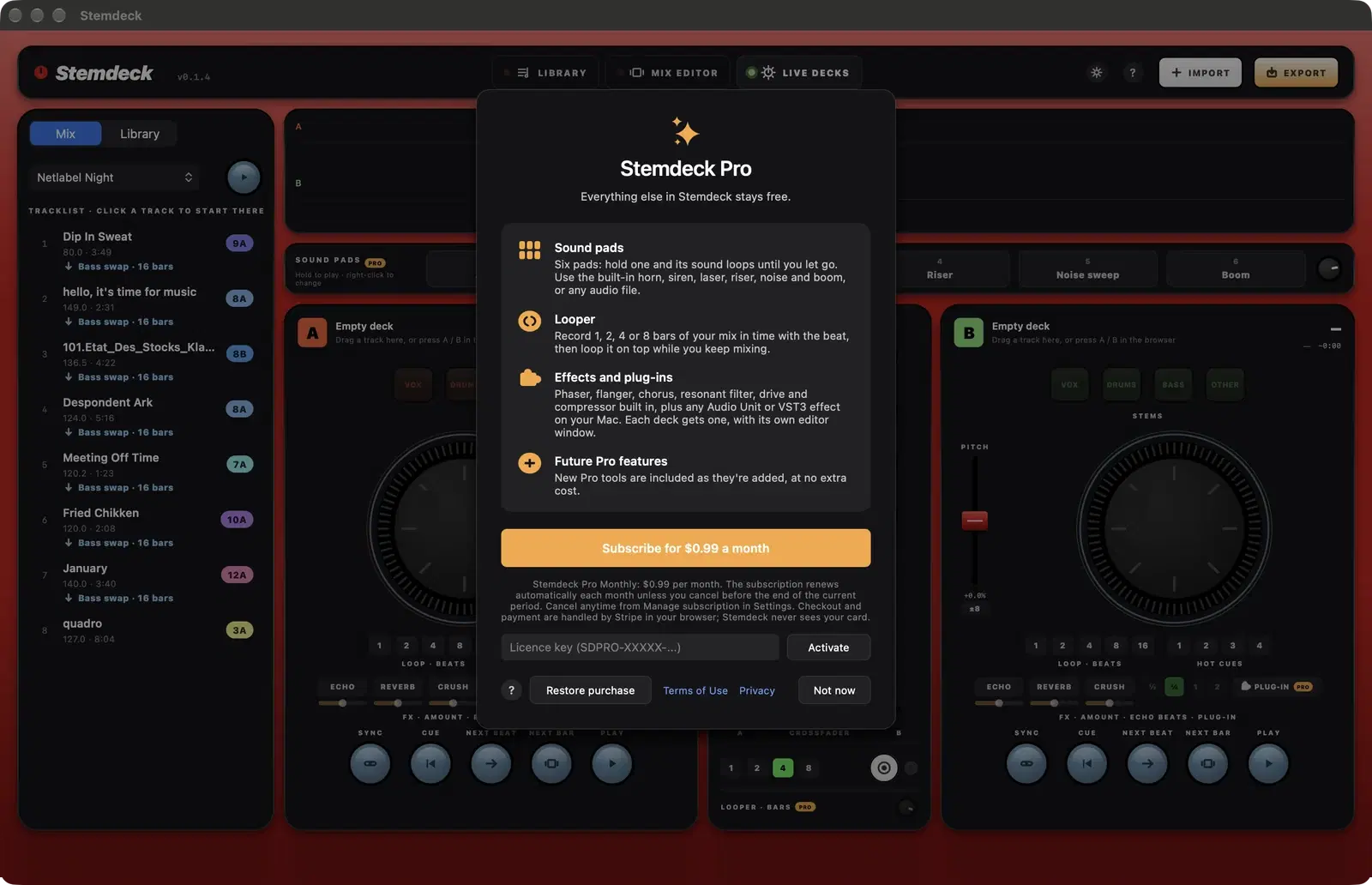
- Six sound pads: hold one and its sound loops until you let go. Use the built-in sounds or your own audio files.
- A beat-synced looper: record 1, 2, 4 or 8 bars of your mix and loop it on top while you keep mixing.
- Effect plug-ins in a slot on each deck, with their own editor windows.
- $0.99 a month, cancel anytime. Everything else in Stemdeck stays free.
Your library
- BPM, beat grid, Camelot key and waveforms detected on import.
- Artist, album, label, ISRC, genre, year and artwork read from your files' tags.
- Find Creative Commons and public domain music on the Internet Archive and Jamendo, with each track's licence recorded.
- Search BBC Sound Effects and Apple Music previews from Find music, too.
- Windows, Linux and the downloadable Mac version also search Deezer, with 30-second previews you can add to your library.
Explore Stemdeck
- Getting started Getting started with Stemdeck
- Library and track info The Stemdeck library and track info
- Stem separation Split any track into six stems on your computer
- Find music Find free music to mix
- Mix editor Build a beat-matched mix with stem transitions
- Exporting a mix Export a mix with a tracklist
- Live decks Play live on two decks with stems
- Headphone cueing Pre-listen in your headphones
- MIDI controllers Use a DJ controller with MIDI learn
- Download Test builds for Mac, Windows and Linux, with the stem models included.
- Documentation Every screen and feature, step by step, with screenshots.
- Stemdeck Pro Optional sound pads, a beat-synced looper and effect plug-ins for $0.99 a month.
- Compare Stemdeck next to DJ.Studio, Serato, rekordbox, djay, VirtualDJ and Traktor.
- Privacy policy Stemdeck keeps your music and stems on your computer and collects no personal data.
Frequently asked questions
Does Stemdeck upload my music?
No. Analysis, stem separation, mixing and export all run on your computer. Your tracks and stems never leave it.
Does Stemdeck run on Windows and Linux?
Yes. The downloadable version runs on Windows 10 and 11, 64-bit Linux and macOS 12 or later (Apple silicon or Intel), with the stem models included. The Mac App Store version, coming soon, needs a Mac with Apple silicon and macOS 15.
How good is the stem separation?
Stemdeck uses Demucs v4 (Hybrid Transformer Demucs), one of the strongest open-source separation models, run natively on your computer. Six stems is the default: vocals, drums, bass, guitar, piano and other.
Can I play live, or only build mixes?
Both. Build and export mixes in the editor, or play on two live decks with headphone cueing. Auto-mix can play a whole mix live across the two decks.
Is Stemdeck free?
Yes. Stemdeck is a free download for Mac, Windows and Linux, and will be free on the Mac App Store. An optional Stemdeck Pro subscription ($0.99 a month) adds sound pads, the looper and effect plug-ins on the decks. Everything else stays free.
Get Stemdeck
Made by Tech With You. Read the Stemdeck privacy policy.