
 Stemdeck
The Stemdeck library and track info
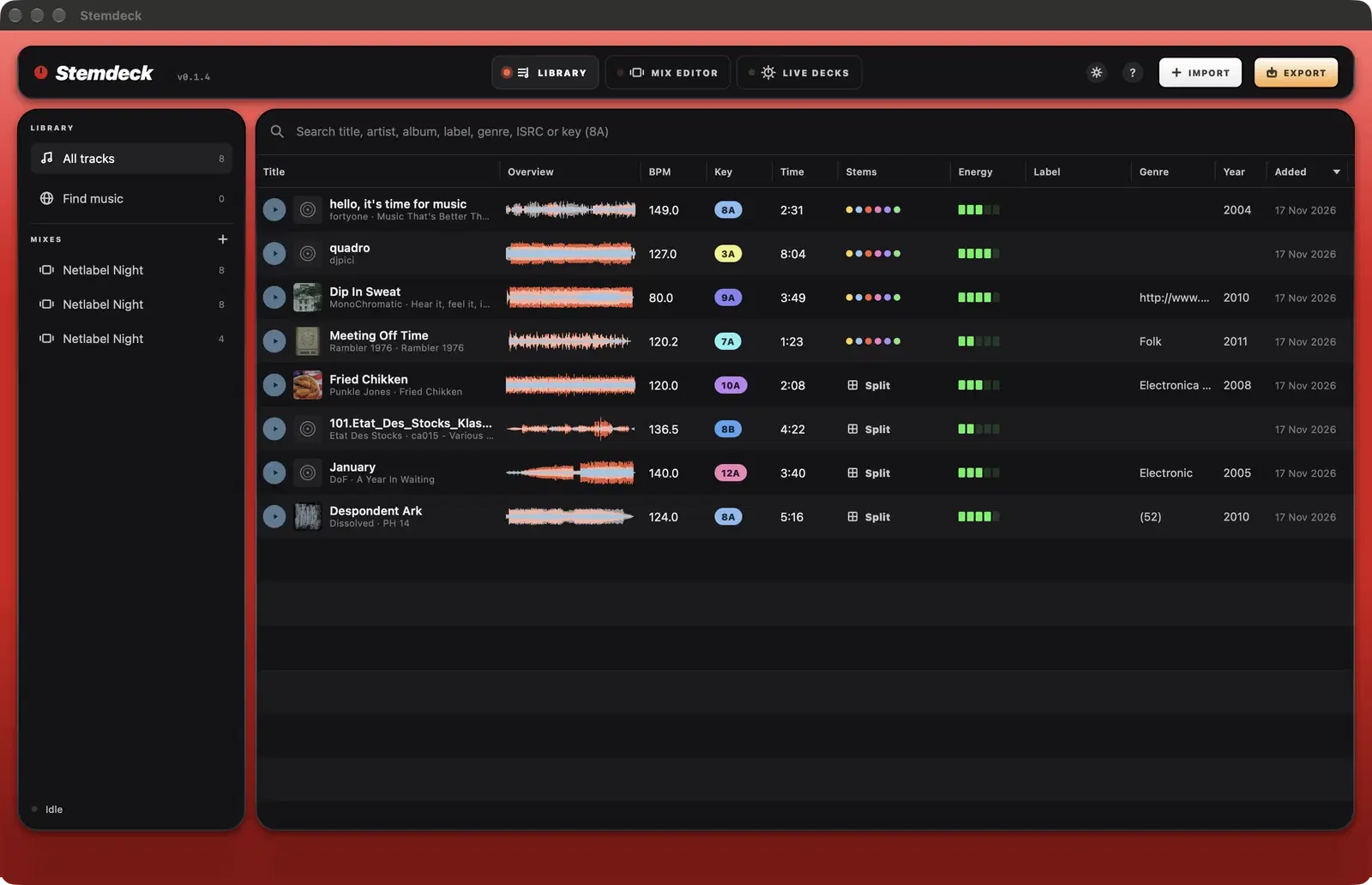
The library lists every track with its waveform, BPM, Camelot key, length, stem status, energy, label, genre and year.
Search matches title, artist, album, label and genre, an exact ISRC, or a key such as 8A.
Preview a track
- Click the play button on a row, or select a row and press Space.
- Click anywhere on a row's waveform to start from that point.
- The preview bar at the bottom shows the position. Drag across its waveform to move, and click the cross to close it.
- If you've set up headphones, previews can play in your headphones only, so you can check a track without the room hearing.
Use a track
- Drag a track onto a mix in the sidebar to add it to the end of that mix, or onto a deck on Live decks to load it.
- Select several tracks and click New mix to make a mix of them, ordered by key and tempo.
- Right-click a track to load it to deck A or B, get info, split its stems (or split again with the other number of stems), add it to a mix, reveal the file or remove it.
Columns
- Key uses the Camelot wheel. Keys with the same number, or one step apart with the same letter, mix well together.
- Stems shows Split, Splitting into 6 stems with the percentage done while splitting, Queued, or a coloured dot for each stem when the stems are ready: four or six.
- Energy is a five step loudness bar that Auto-mix uses when ordering a set.
- Click a column header to sort by it.
Track info
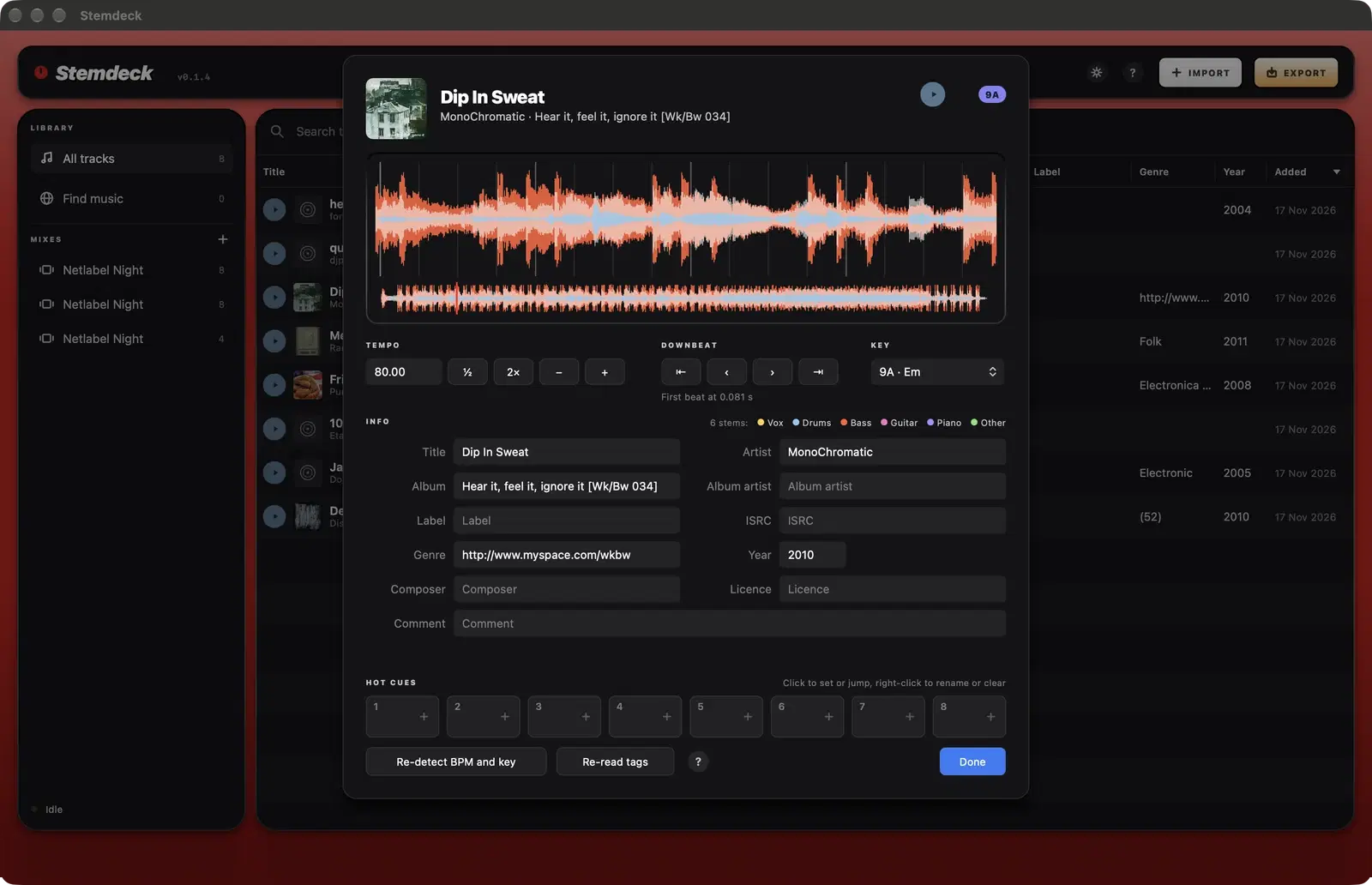
Double-click a track, or right-click it and choose Get info, to open its info sheet.
- The zoomed waveform shows the beat grid. Drag it sideways to line the grid up with the beats, and click the overview below it to move through the track.
- Tempo: type a BPM, halve or double it, or nudge it by 0.01.
- Downbeat: move the first beat by one beat or by 10 milliseconds.
- Key: choose the right key if detection got it wrong.
- Info: edit title, artist, album, album artist, label, ISRC, genre, year, composer, licence and comment.
- Re-detect BPM and key analyses the track again. Re-read tags reloads the details from the file.
Questions
The BPM is double what it should be. How do I fix it?
Open the track's info and click the half button next to the tempo. Use the double button for the opposite case.
Where do imported files live?
Stemdeck plays your files from where they are. If you move or delete a file, re-import it. Tracks imported with Find music are saved in your Music folder under Stemdeck, Downloads.
Try it in Stemdeck
Free downloads for Mac, Windows and Linux, with the stem models included. Coming soon to the Mac App Store for Macs with Apple silicon.