
 Stemdeck
Export a mix with a tracklist
Click Export at the top right, choose the mix and options, then choose where to save. The mix renders faster than real time with every transition, stem curve and tempo change.
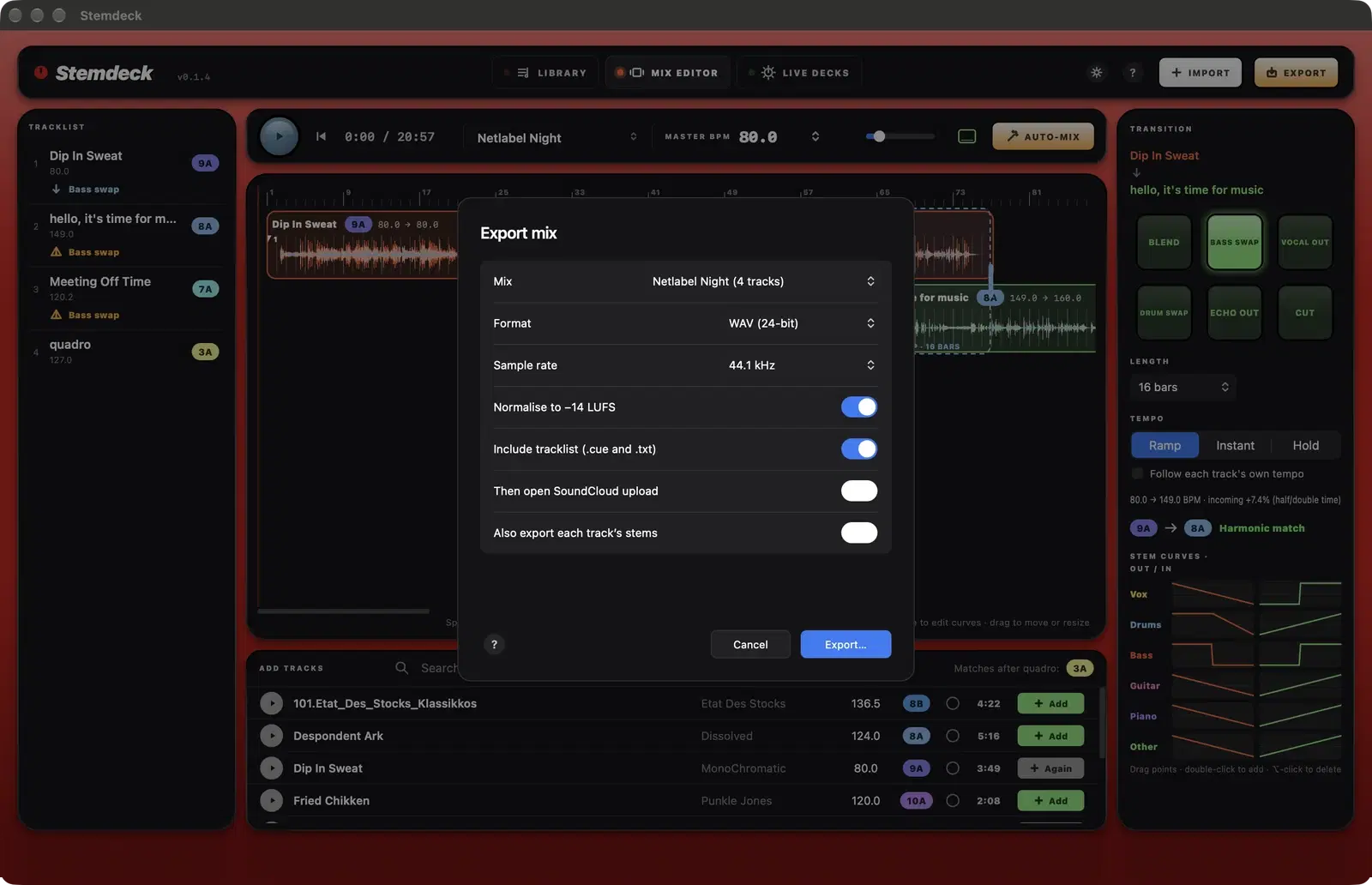
Options
- Format: WAV, AIFF or FLAC at 24 bit, or AAC at 256 kbps (FLAC in the downloadable version; AAC on Linux needs ffmpeg).
- Sample rate: 44.1 kHz or 48 kHz.
- Normalise to -14 LUFS sets a consistent loudness for streaming, keeping peaks under -1 dB.
- Include tracklist saves a CUE sheet and a text tracklist with each track's start time next to the mix.
- Also export each track's stems copies each track's stems into a folder next to the mix.
- Then open SoundCloud upload (Windows, Linux and the downloadable Mac version): when the mix is saved, Stemdeck opens SoundCloud's upload page in your browser, shows the file and copies a description with the mix name and a timed tracklist. Drag the file onto the page and paste the description. SoundCloud turns the times into links.
After exporting
Stemdeck shows the mix's length and its measured loudness before normalising, and opens the folder (Finder, Explorer or your file manager).
Questions
Can I upload an exported mix?
That depends on the licences of the tracks in it. Check each track's licence in its info, especially NC (non commercial) and ND (no derivatives) licences.
Try it in Stemdeck
Free downloads for Mac, Windows and Linux, with the stem models included. Coming soon to the Mac App Store for Macs with Apple silicon.