
 Stemdeck
Pre-listen in your headphones
Headphone cueing sends a deck to a second audio output, so you can hear the next track in your headphones while the room hears the master.
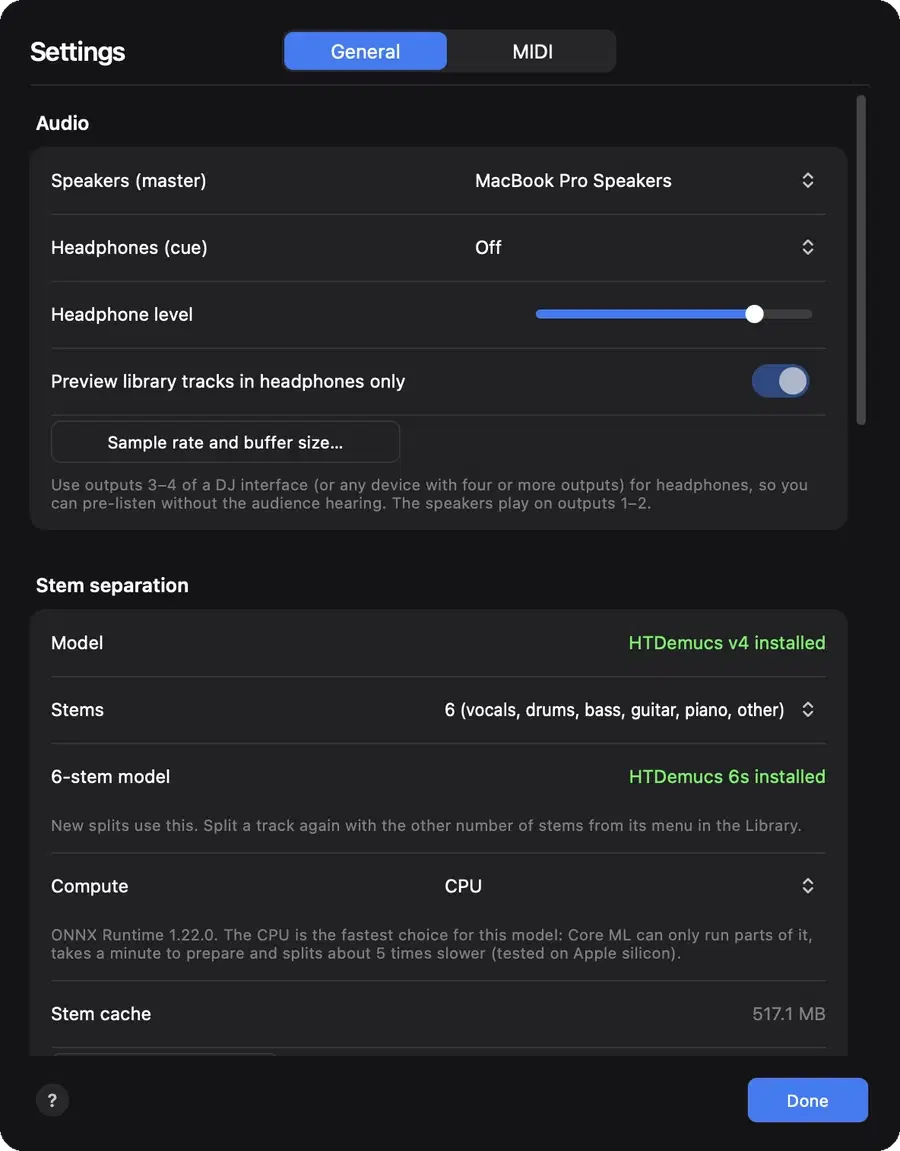
Set it up
- Open Settings and, under Audio, choose your Speakers output for the room and your Headphones output.
- With a DJ audio interface that has four or more outputs, choose its headphone channel pair, for example 3 and 4.
- Use a different output for headphones than for speakers. Choosing the same device for both just plays everything twice.
Cue a deck
- Press a deck's Cue button under its channel fader in the mixer. You hear that deck in your headphones even with its fader down.
- Cue mix blends between the cued decks and the master in your headphones.
- Phones sets the headphone volume.
- Library previews can play in your headphones only, set under Settings, Audio.
Questions
Is there a delay in the headphones?
It's small, around 10 milliseconds in our tests, so you can match beats by ear.
Try it in Stemdeck
Free downloads for Mac, Windows and Linux, with the stem models included. Coming soon to the Mac App Store for Macs with Apple silicon.