
 Stemdeck
DJ on a Steam Deck with Stemdeck
Stemdeck runs on a Steam Deck as a Linux app in Desktop mode, with stem separation on the Deck itself. Plug in a DJ controller over USB-C and you have a small, complete DJ setup.
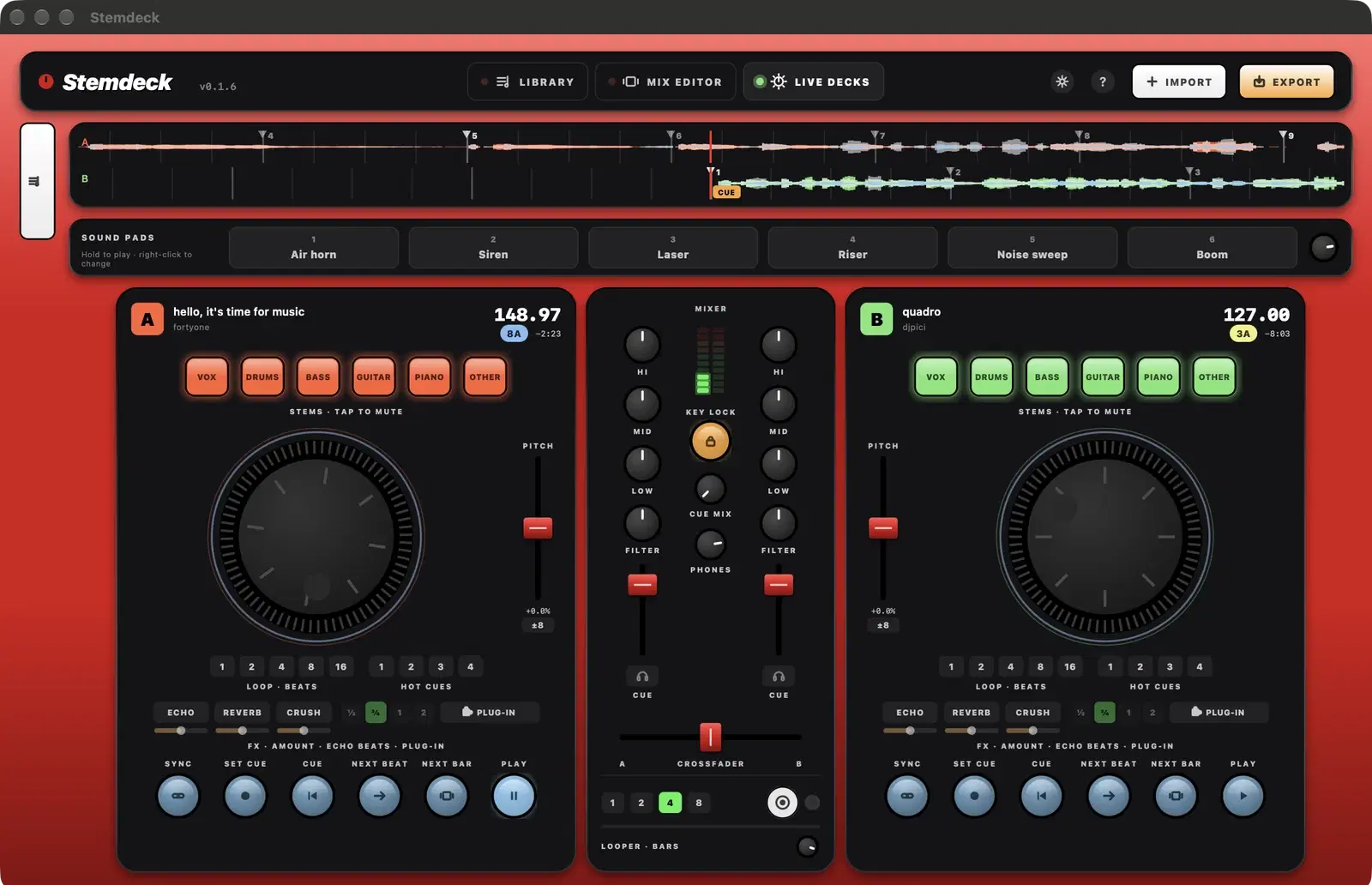
From version 0.1.8, Stemdeck fits the Deck's 1280 by 800 screen: the Live decks fold the side panel away so the decks get the full width, and the interface can be made larger.
1. Switch to Desktop mode
Hold the power button and choose Switch to Desktop. Stemdeck is a desktop app, so it runs there like any other Linux program.
2. Download Stemdeck
- Open a web browser in Desktop mode (Firefox, from the Discover store, if you haven't got one yet) and go to stemdeckdj.app/download.
- An AppImage, one file that runs without installing anything, and a Flatpak bundle are coming with 0.1.8. Until then, the Linux .tar.gz works: extract it in your home folder, keeping the Stemdeck folder together, and run Stemdeck from it.
- For the AppImage: right-click it in Dolphin, open Properties, Permissions, tick Is executable, then double-click it. For the Flatpak bundle: open Konsole and run flatpak install --user with the file's name.
3. Add your music from the SD card
- Music on the microSD card is under /run/media, and Dolphin lists the card under Devices.
- Click Import in Stemdeck and choose the card's music folder, or drag the folder from Dolphin onto the library. Your files stay where they are.
- Stemdeck analyses each track and splits stems on the Deck. Stems are saved, so each track is split once.
4. Plug in a controller
- A Pioneer DDJ-400, DDJ-FLX4, DDJ-200, DDJ-FLX2, DDJ-SB3 or DDJ-REV1, or a Hercules DJControl Inpulse 200, 300 or 500, maps itself as soon as you plug it into the Deck's USB-C port (with a USB-C cable, or an adapter or dock for a USB-B cable).
- Any other MIDI controller works too, with MIDI learn in Settings, MIDI.
5. Sound through the controller
These controllers have their own sound card. In Settings, General, Audio, choose the controller as the output for your speakers, and its second pair of outputs for your headphones, so you can cue the next track while the room hears the master.
6. Make it fit the screen
- On the Deck's 1280 by 800 screen, the Live decks fold the Mix and Library panel behind a tab at the left. Click the tab to open it and load a track.
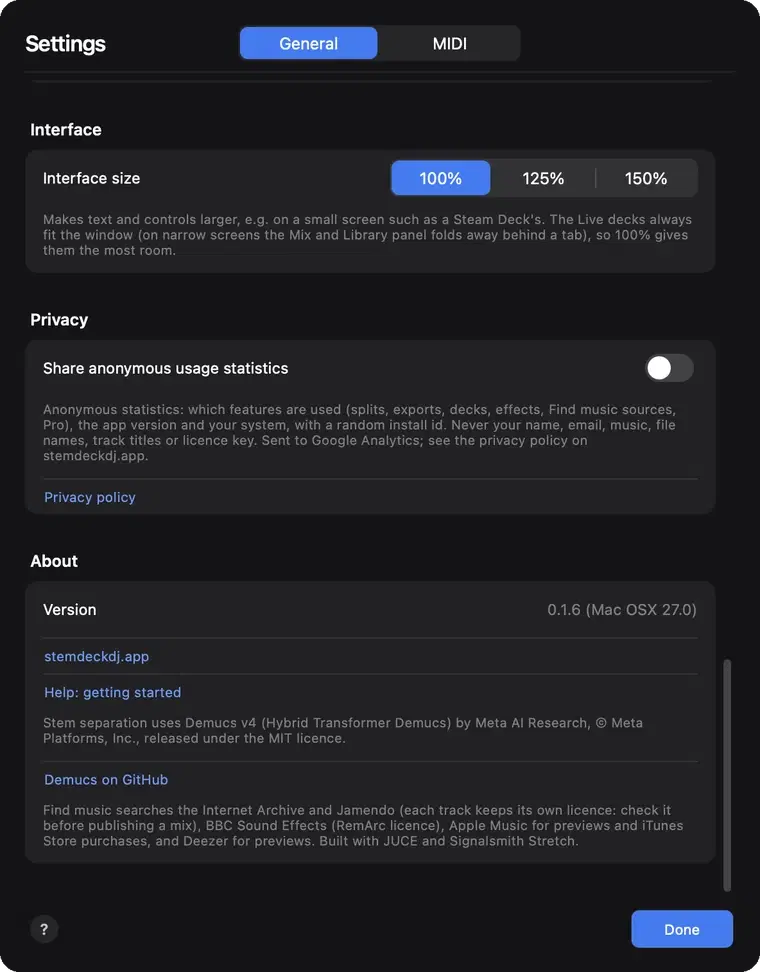
- Settings, General, Interface size sets 100%, 125% or 150% if you want larger text and controls.
Questions
Does Stemdeck run in the Steam Deck's Gaming mode?
Stemdeck is a desktop app, so use it in Desktop mode.
Is the Steam Deck fast enough for stem separation?
Stemdeck splits stems on the Deck's processor. It takes longer than on a recent desktop computer, so split a set's tracks before you play it: each track is split only once.
Is Stemdeck in the Discover store?
Not yet. Download it from stemdeckdj.app/download.
Try it in Stemdeck
Free downloads for Mac, Windows and Linux, with the stem models included. Coming soon to the Mac App Store for Macs with Apple silicon.