
 StemDeckDJ
Artist guide: selling on the StemDeckDJ Store
Anyone can sell or give away their own music on the StemDeckDJ Store. DJs find your tracks in StemDeckDJ and on this website, preview 15 seconds and get the full track ready to mix.
Card fees come off each sale first; StemDeckDJ keeps 10% of the rest and the other 90% is yours, paid monthly through Stripe. Every track is reviewed before it goes live. This guide walks through every screen of the artist area.
Create your artist profile
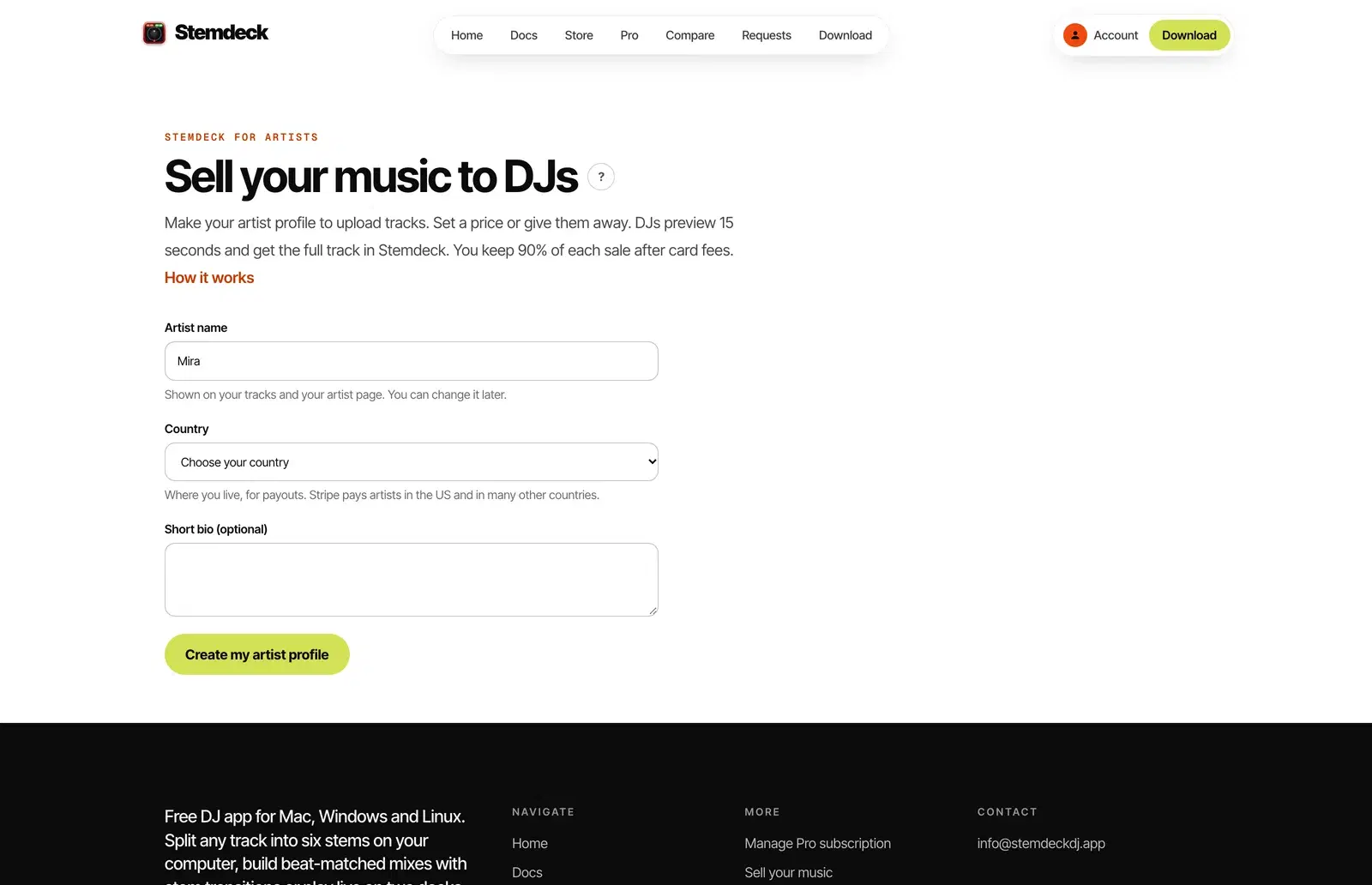
Sign in on stemdeckdj.app, open Sell your music and fill in your artist name and country. The country decides whether you can sell paid tracks: payouts are for artists in the US and the other countries Stripe pays out to from our US account. Artists anywhere can publish free tracks.
Upload a track
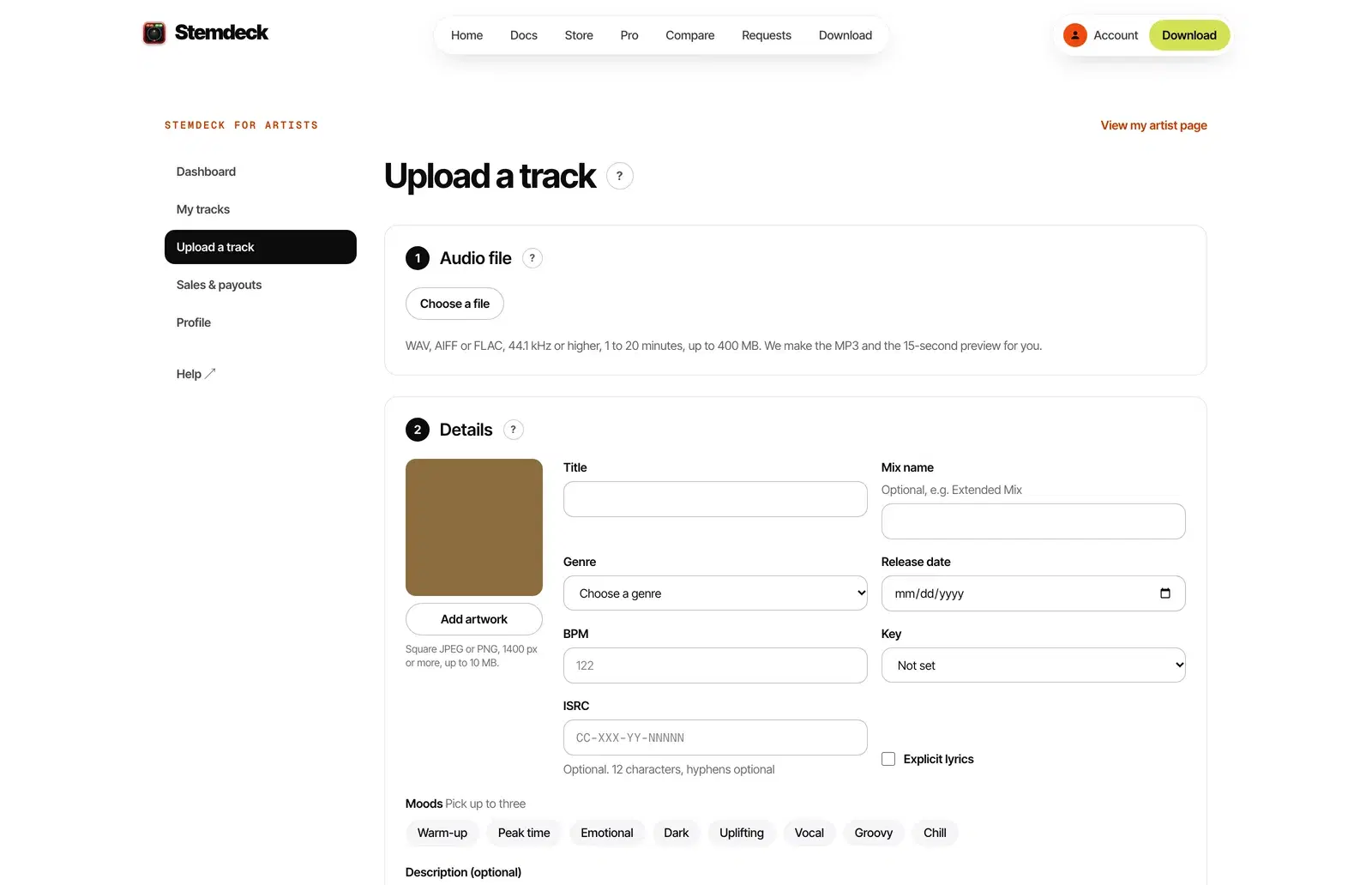
Open Upload a track. The form has four steps: the audio file, the details, the preview clip, and price and licence. Save draft keeps your work; Submit for review sends it to us.
The audio file
- Choose a WAV, AIFF or FLAC file, 44.1 kHz or higher, 1 to 20 minutes long, up to 400 MB. The upload goes straight to storage with a progress bar.
- We then make a 16-bit WAV, a 320 kbps MP3, the 15-second preview and the waveform. This takes about a minute; the page updates on its own.
- A file that's already on the store, or isn't lossless, is turned down with the reason.
Details, ISRC and genre
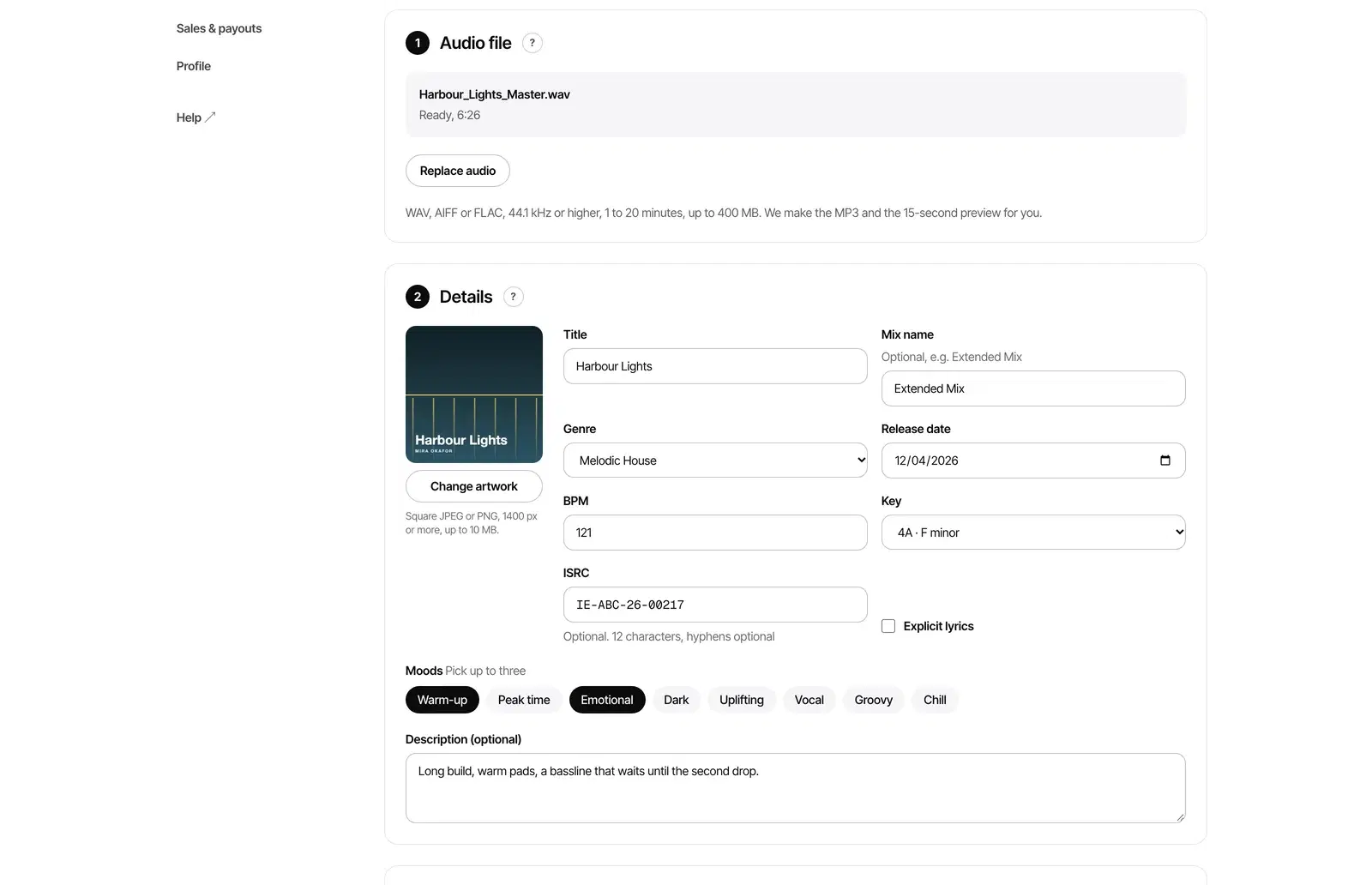
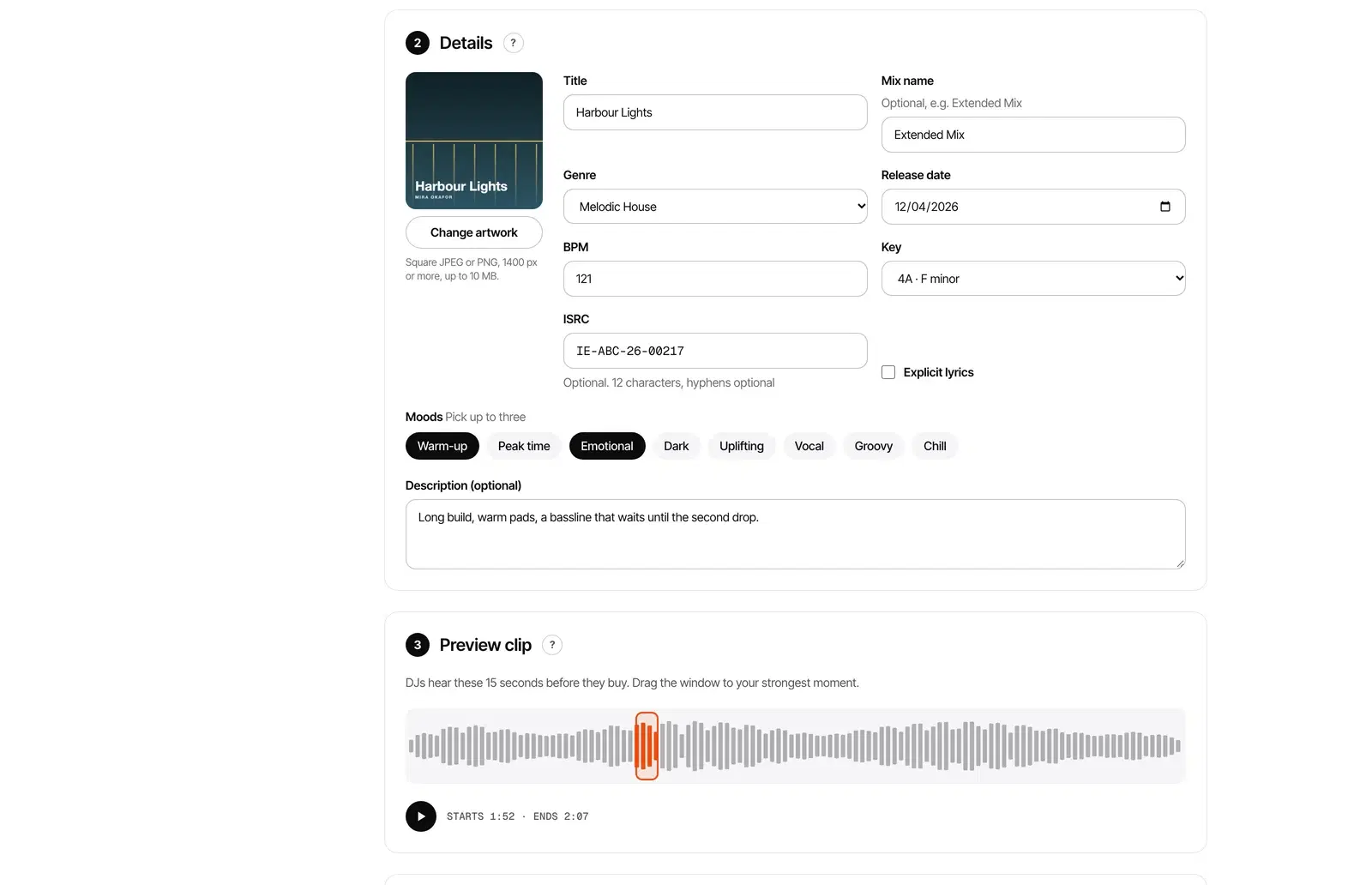
- Title and genre are required. Genre comes from a fixed list, so DJs can filter by it in the store.
- Mix name, release date, BPM, key (Camelot, like 8A), moods and a description help DJs find the track. BPM and key show on every row in the app.
- ISRC is optional: the 12-character code from your distributor or label, written CC-XXX-YY-NNNNN. Hyphens are optional; we check the format as you type and show it on the track page.
- Add square artwork, JPEG or PNG, 1400 pixels or more.
The preview clip
DJs hear 15 seconds before they buy. Drag the orange window on the waveform to your strongest moment (or use the arrow keys), click Use this start, then play it to check. It starts 30% into the track until you choose.
Price and licence
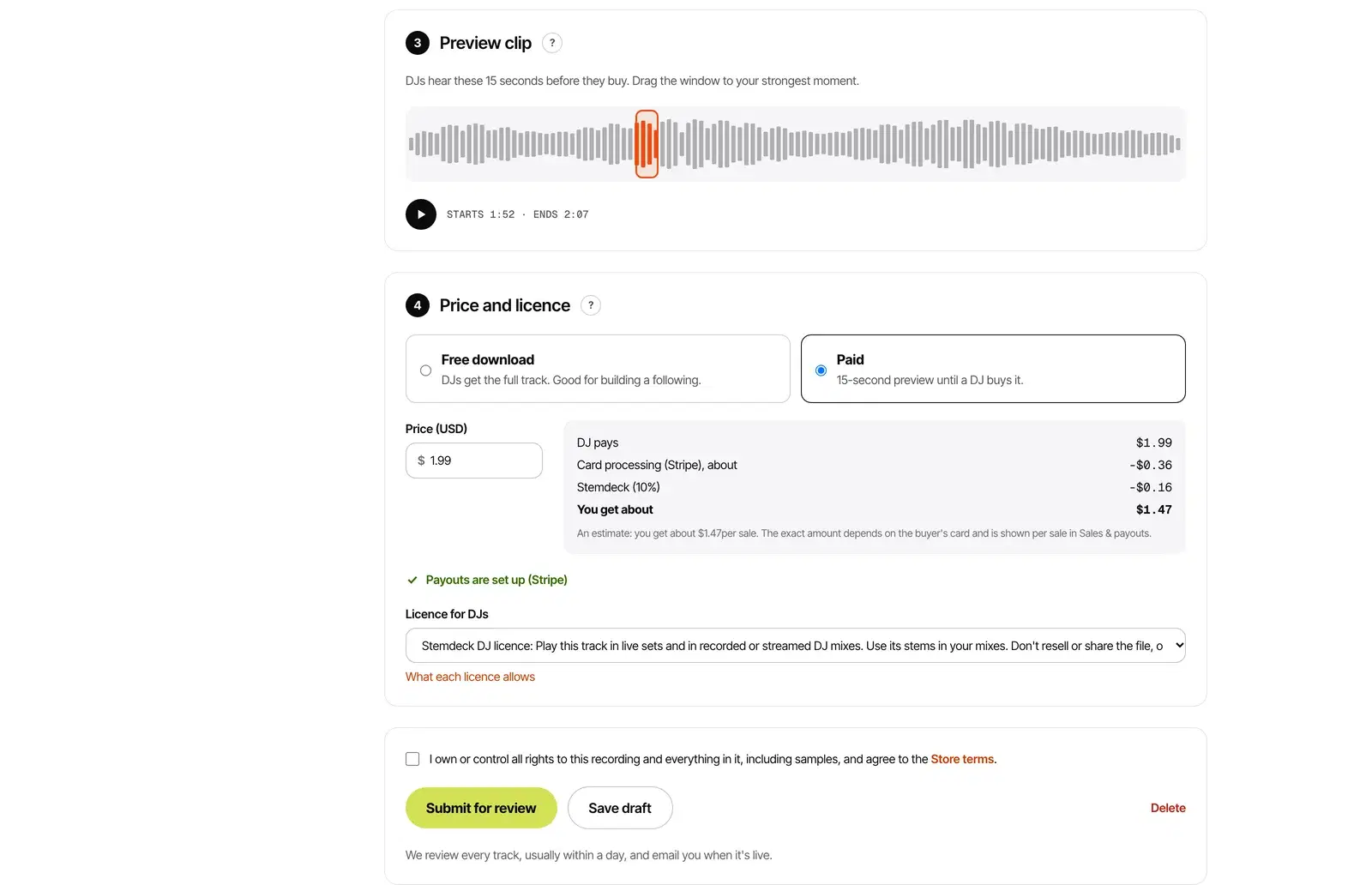
- Free: DJs get the full track, which helps you build a following. Paid: from $0.99 to $50.
- The form shows what you get per sale, as an estimate: the price, less Stripe's card fee (about 2.9% + 30 cents), less StemDeckDJ's 10% of the rest. The exact amount for each sale is in Sales & payouts.
- A paid track can be submitted once payouts are set up.
- Pick the licence DJs get: the StemDeckDJ licence (sets and mixes, no resale), CC BY, CC BY-NC or Promo only.
Review and approval
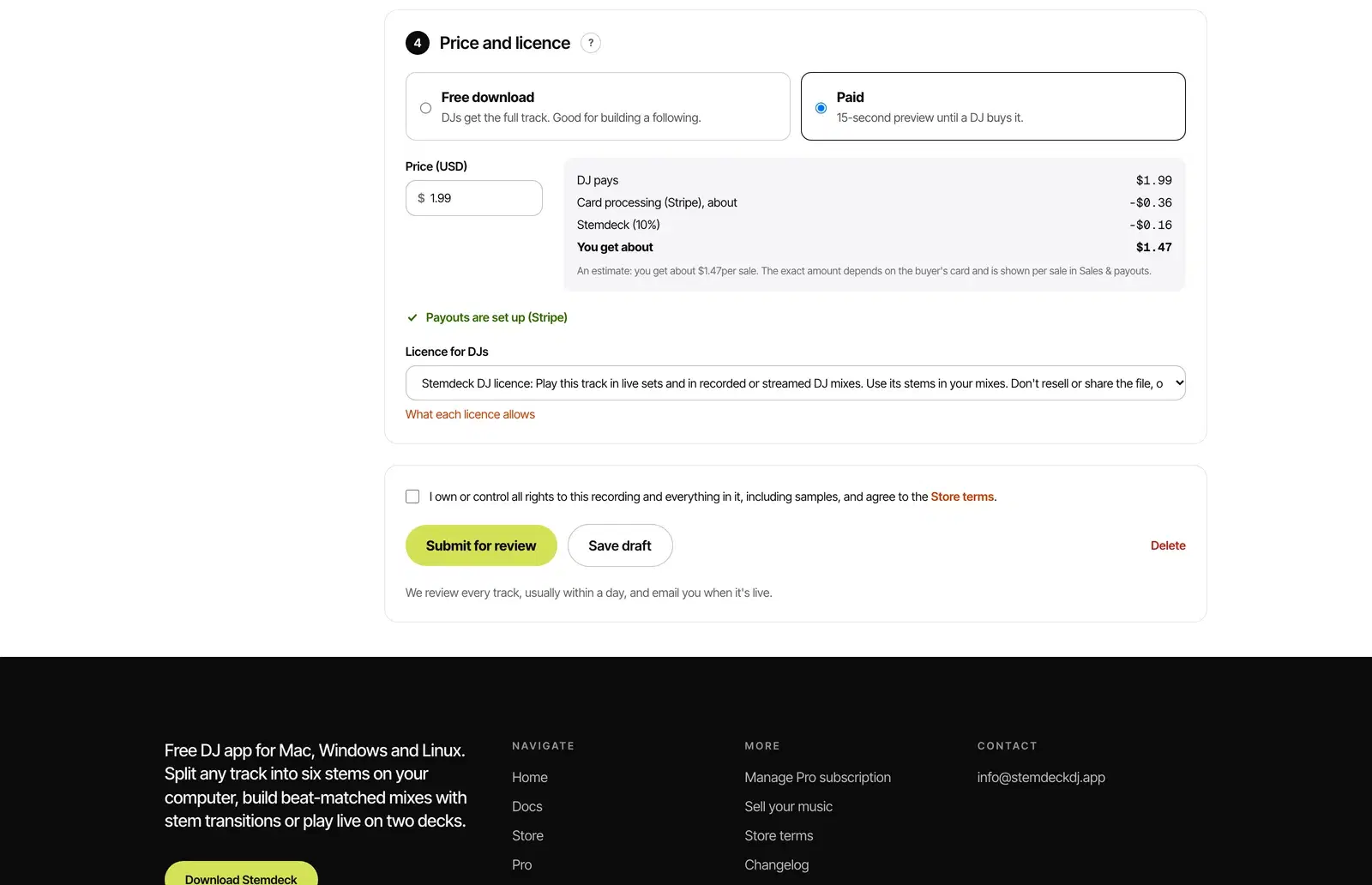
- Tick that you own all the rights, including any samples, and click Submit for review. We usually review within a day and email you when it's live.
- If a track isn't approved, My tracks shows why. Fix it and submit again.
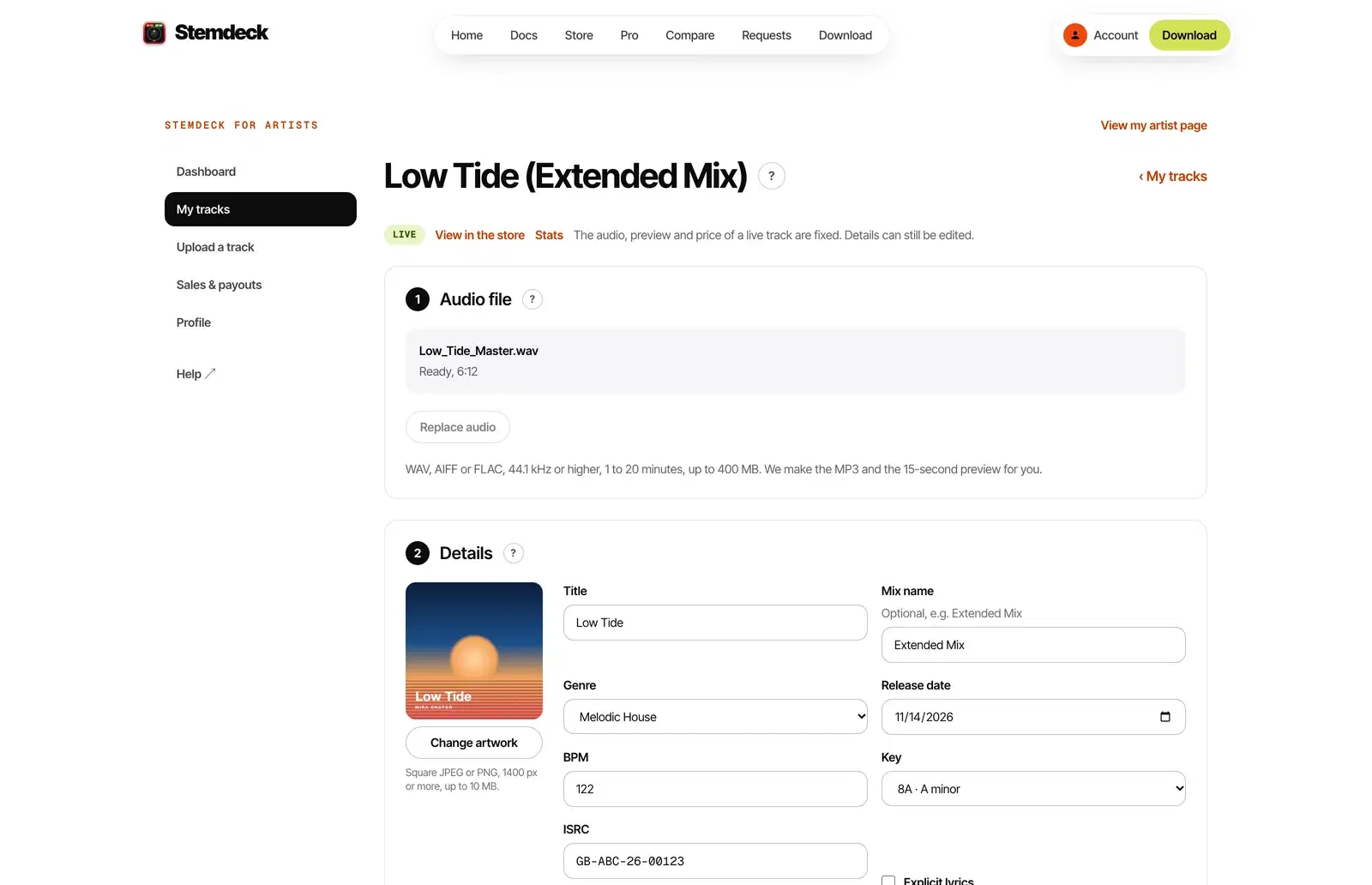
- Once a track is live, its audio, preview and price are fixed; the title, details and artwork can still change. Take down removes it from the store, and DJs who have it keep their copy.
My tracks
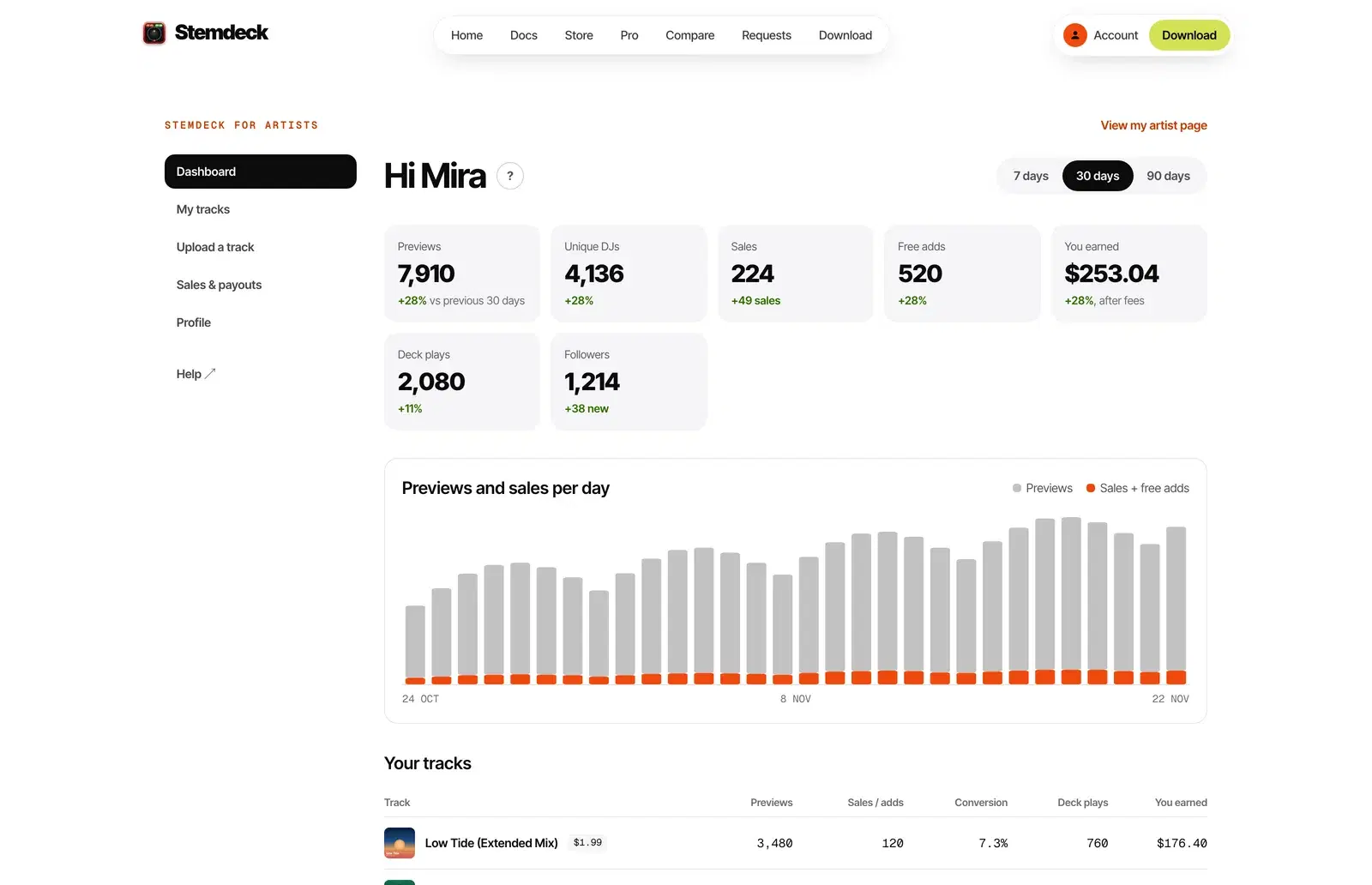
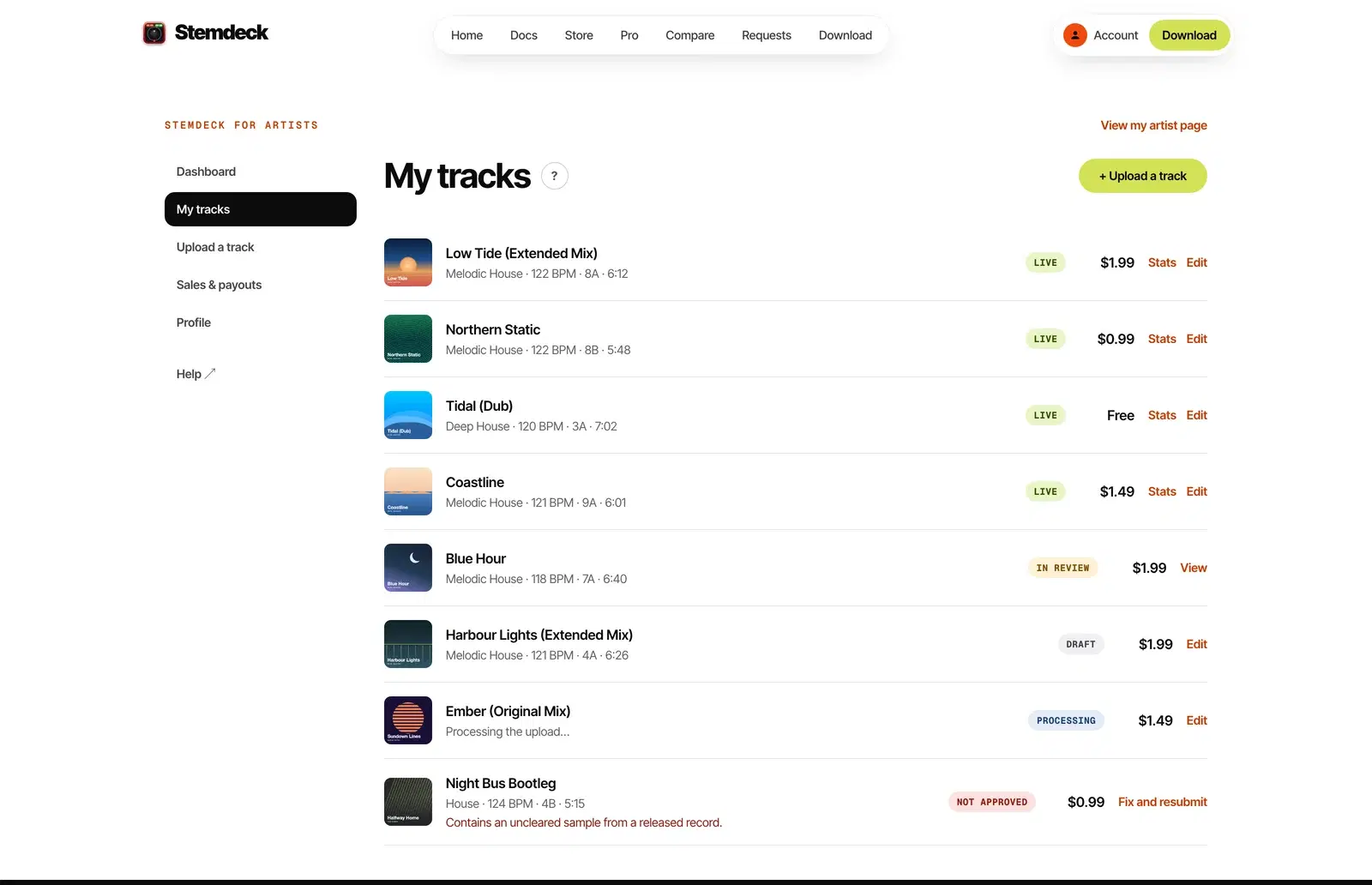
My tracks lists every track with its state: Draft, Processing, In review, Live or Not approved, the reason when it wasn't approved, its price, and links to edit it or see its stats.
Analytics overview
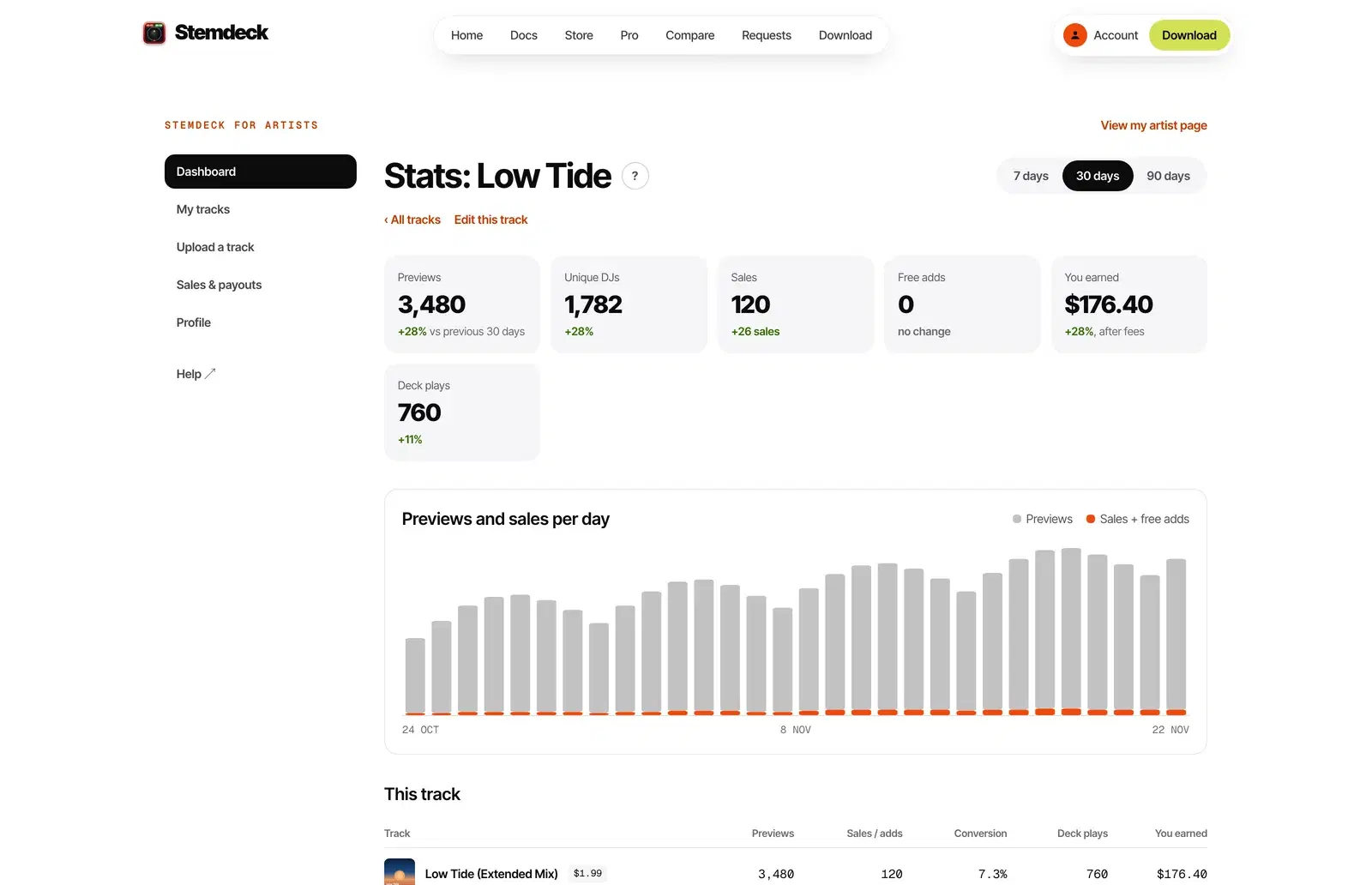
- The dashboard covers the last 7, 30 or 90 days, each figure compared with the period before.
- Previews and unique DJs, sales, free adds, what you earned after fees, deck plays and followers.
- Deck plays count when a DJ plays your track on a StemDeckDJ deck for 30 seconds or more, from DJs who left anonymous usage on. DJs are counted per install, never by name.
- The chart shows previews and sales plus free adds per day; the table shows each track.
Per-track stats
Click a track in the dashboard's table, or Stats in My tracks, to see the same figures for that track only. Conversion is sales divided by unique previewers, for paid tracks.
Payouts
- Open Sales & payouts and click Set up payouts. Stripe asks for your identity and a bank account; it takes a few minutes.
- The status card says where you are: Not set up, Finish setup, Action needed (with what Stripe needs), Verifying or Ready.
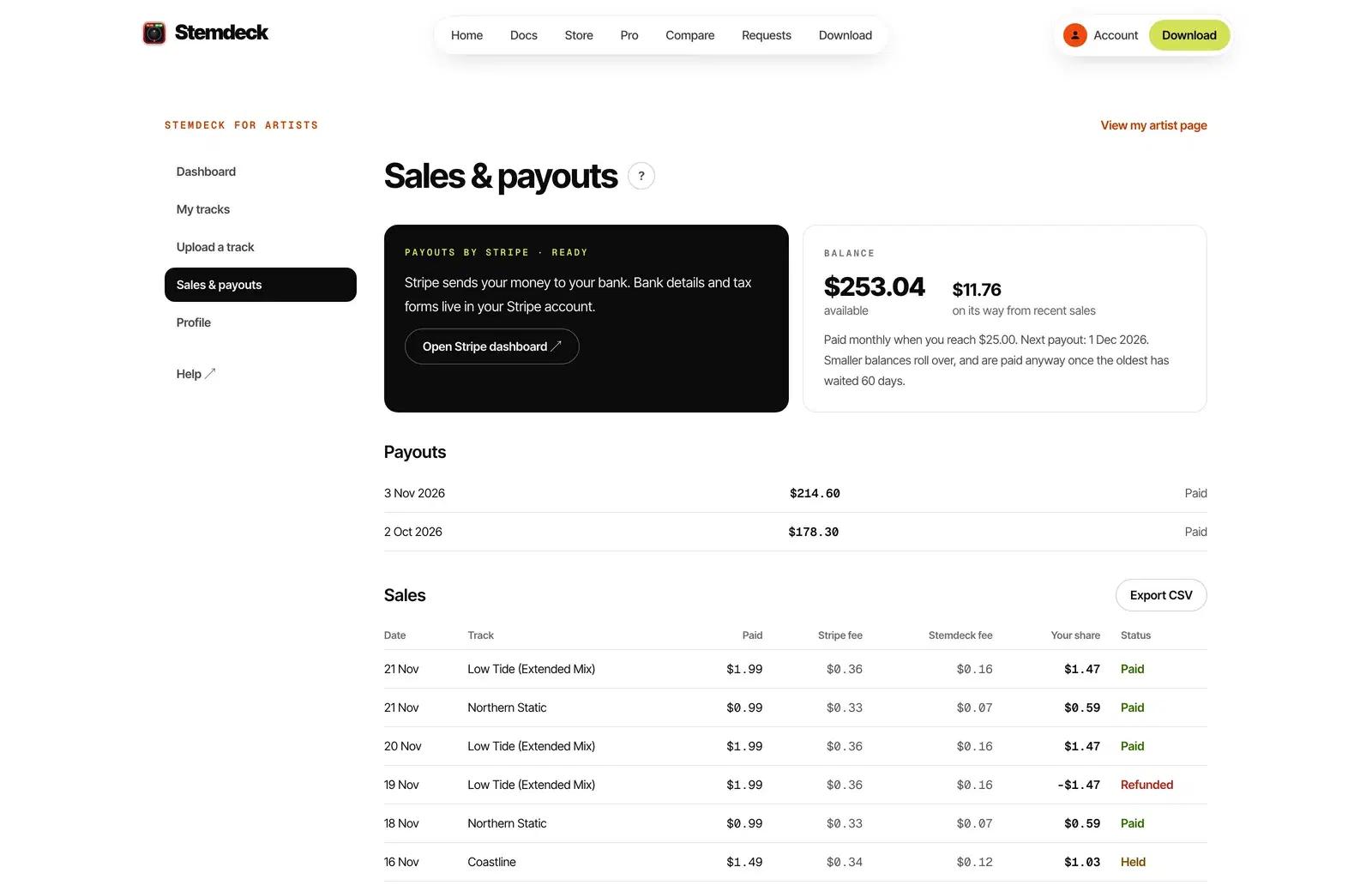
- Your share of each sale collects in your own Stripe balance. It's paid out monthly once it reaches $25 (or the same in your currency), or after 60 days whatever the amount. Open Stripe dashboard for bank details and tax forms.
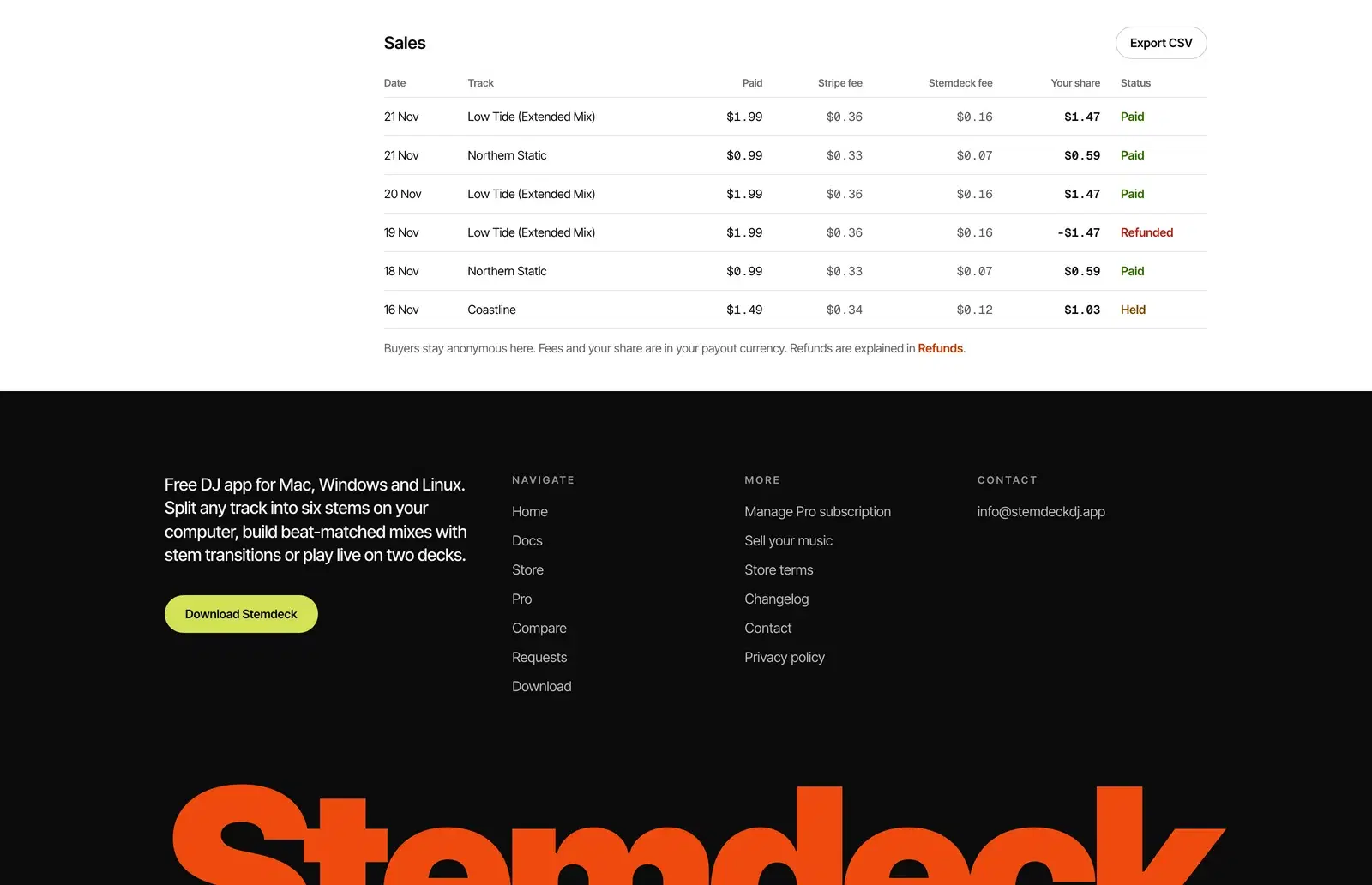
- The sales list shows each sale's price, Stripe fee, StemDeckDJ fee and your share. Export CSV downloads it.
Refunds
- A DJ can refund a purchase themselves within 14 days if they never downloaded it. Anything else is decided by us.
- A refund takes your share of that sale back from your Stripe balance, and the sale shows as Refunded.
- Earnings held because payouts aren't set up, or a profile is suspended, are refunded to buyers after 180 days.
Profile and settings
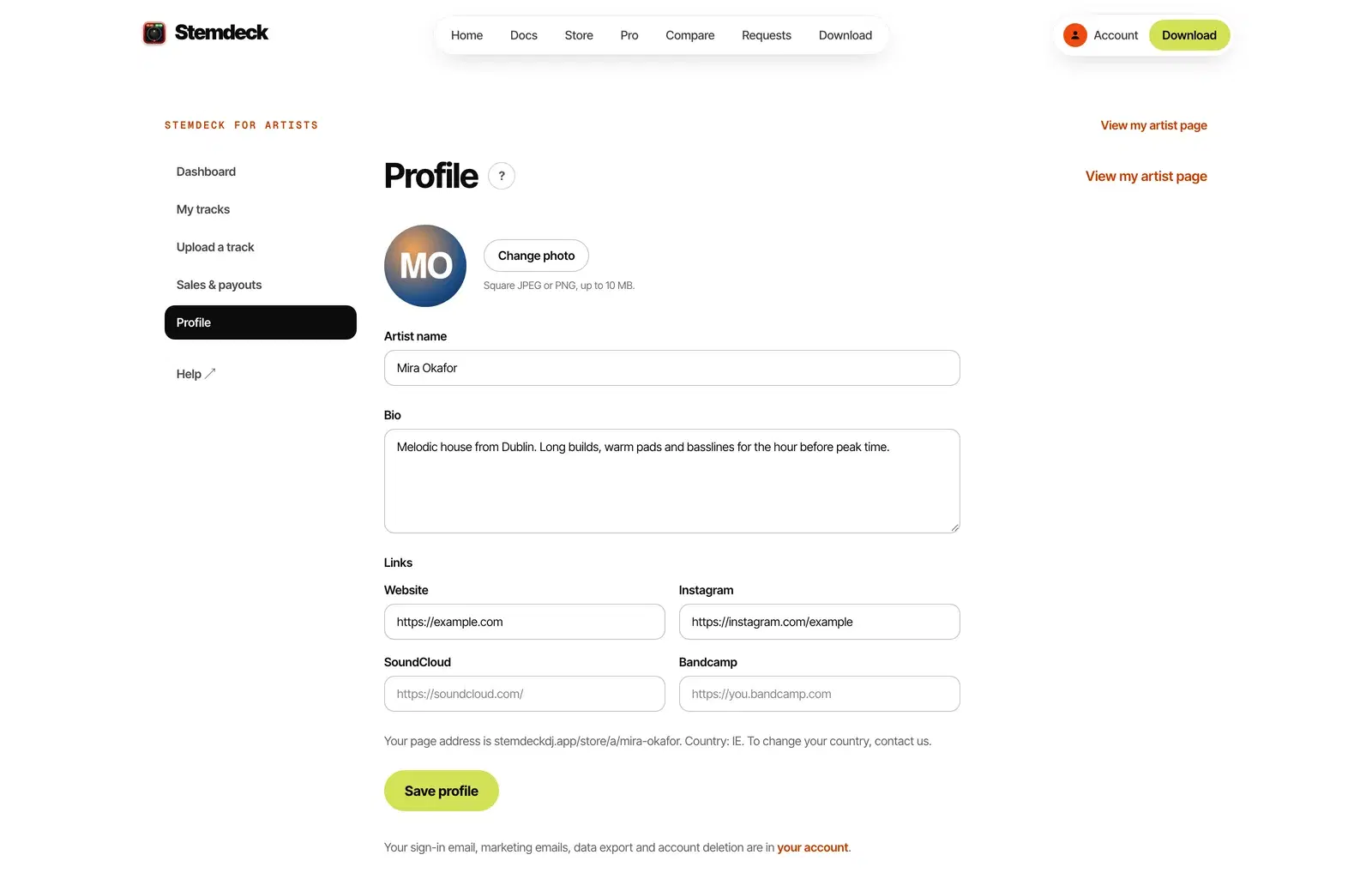
- Profile has your artist name, bio, photo and links to your website, Instagram, SoundCloud and Bandcamp, shown on your artist page.
- Your sign-in email, emails about new releases, data export and account deletion are in My library on the website.
Questions
How much do I get per sale?
About 90% of the price after Stripe's card fee. For a $1.99 track that's about $1.47. Your sales list shows the exact amount for each sale.
When do I get paid?
Monthly, once your balance reaches $25 (or the same in your currency). Smaller balances roll over, and are paid anyway once the oldest has waited 60 days.
Can I sell if I live outside the US?
Yes, in more than 40 countries, including Canada, the UK, the EU, Australia and Japan, through Stripe cross-border payouts. Elsewhere you can still publish free tracks.
Can I upload tracks with samples?
Only if every sample is cleared. You must own or control all the rights in the recording.
Can I remove a track?
Yes, at any time. It leaves the store straight away; DJs who already have it keep their copy.
Try it in StemDeckDJ
Free downloads for Mac, Windows and Linux, with the stem models included. Coming soon to the Mac App Store for Macs with Apple silicon.