
 StemDeckDJ
 Groove: build beats from phrases on iPhone, iPad and iPhone Duo
StemDeckDJ Groove arranges short phrases into a beat: drums on one track, bass on another, chords and pads on top, looping in time. It's the Groove screen of the StemDeckDJ desktop app, rebuilt for touch and for iPhone Duo.
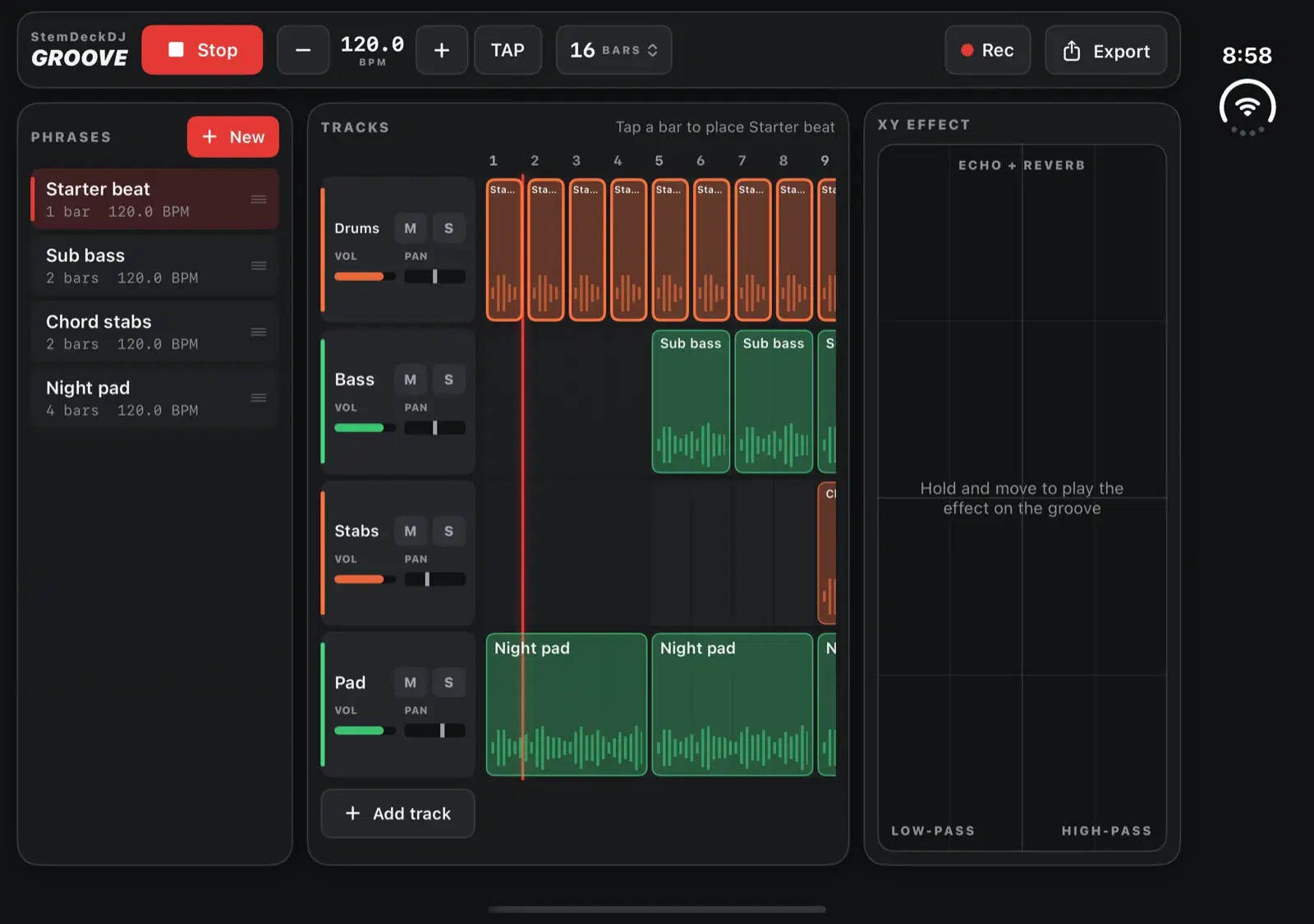
Make phrases
- New makes a phrase of 1, 2, 4 or 8 bars from a sound file, your music library or the microphone, at the BPM you set or tap.
- Starter phrases are there to try straight away.
Arrange the tracks
- Select a phrase and tap a bar to place it, or drag it onto a track. Move clips by dragging them.
- Each track has mute, solo, volume and pan; Add track adds more. Set the length from 4 to 64 bars.
XY effect, recording and export
- Hold and move on the XY pad: across goes from a low-pass to a high-pass filter, up adds echo and reverb. Let go and the groove is clean again.
- Rec records what plays, effect included. Export renders the groove to a file to share or open in another app.
Questions
Is StemDeckDJ Groove free?
Yes, with no in-app purchases.
Can I use my own sounds?
Yes: from Files, your music library or the microphone.
Try it in StemDeckDJ
Free downloads for Mac, Windows and Linux, with the stem models included. Coming soon to the Mac App Store for Macs with Apple silicon.