
 StemDeckDJ
The StemDeckDJ Store
The StemDeckDJ Store sells and gives away tracks straight from the artists who make them. Browse it on stemdeckdj.app/store or inside StemDeckDJ, in Find music. Every track plays a 15-second preview; free tracks download in full, paid ones after you buy them.
Tracks land in your library like any import, so StemDeckDJ analyses BPM, key and the beat grid and you can split stems straight away. The StemDeckDJ Store in the app is in the downloadable version, from 0.1.11.
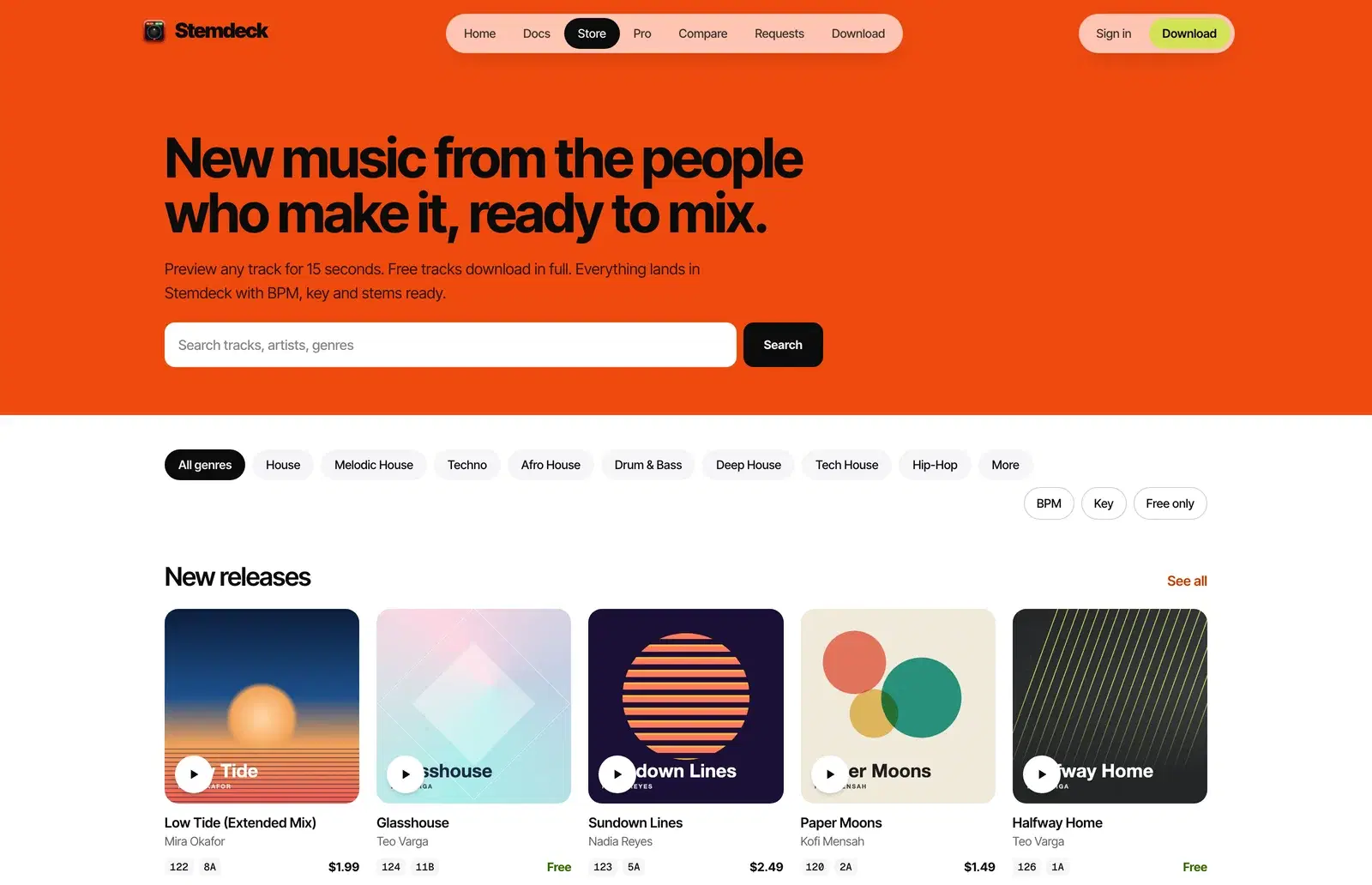
Find tracks in StemDeckDJ
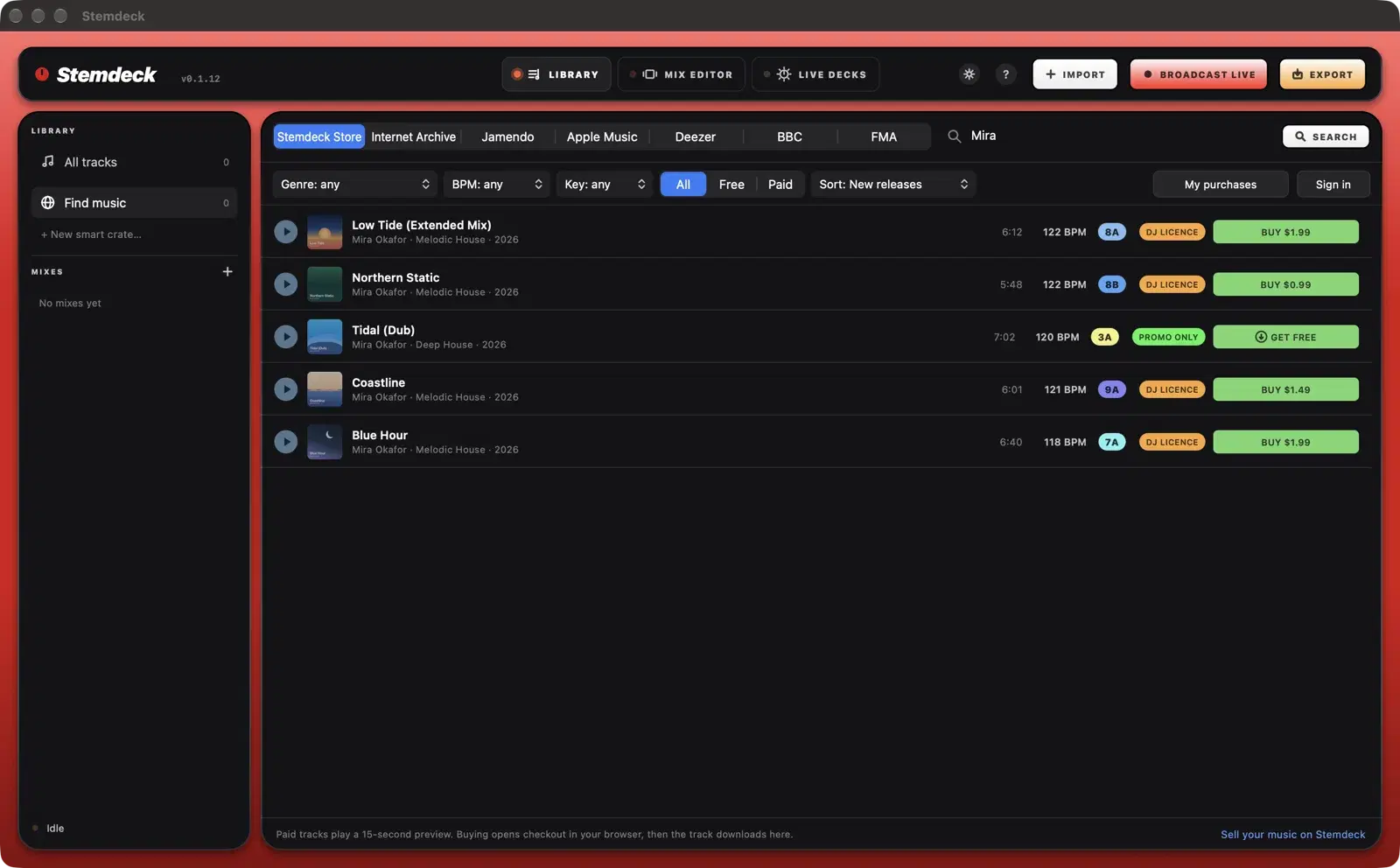
- Open Find music in the library's sidebar and choose StemDeckDJ Store, the first source in the list.
- Search by track or artist, or browse New releases and Popular. Each row shows the BPM, key and price.
- Browsing and 15-second previews work without an account.
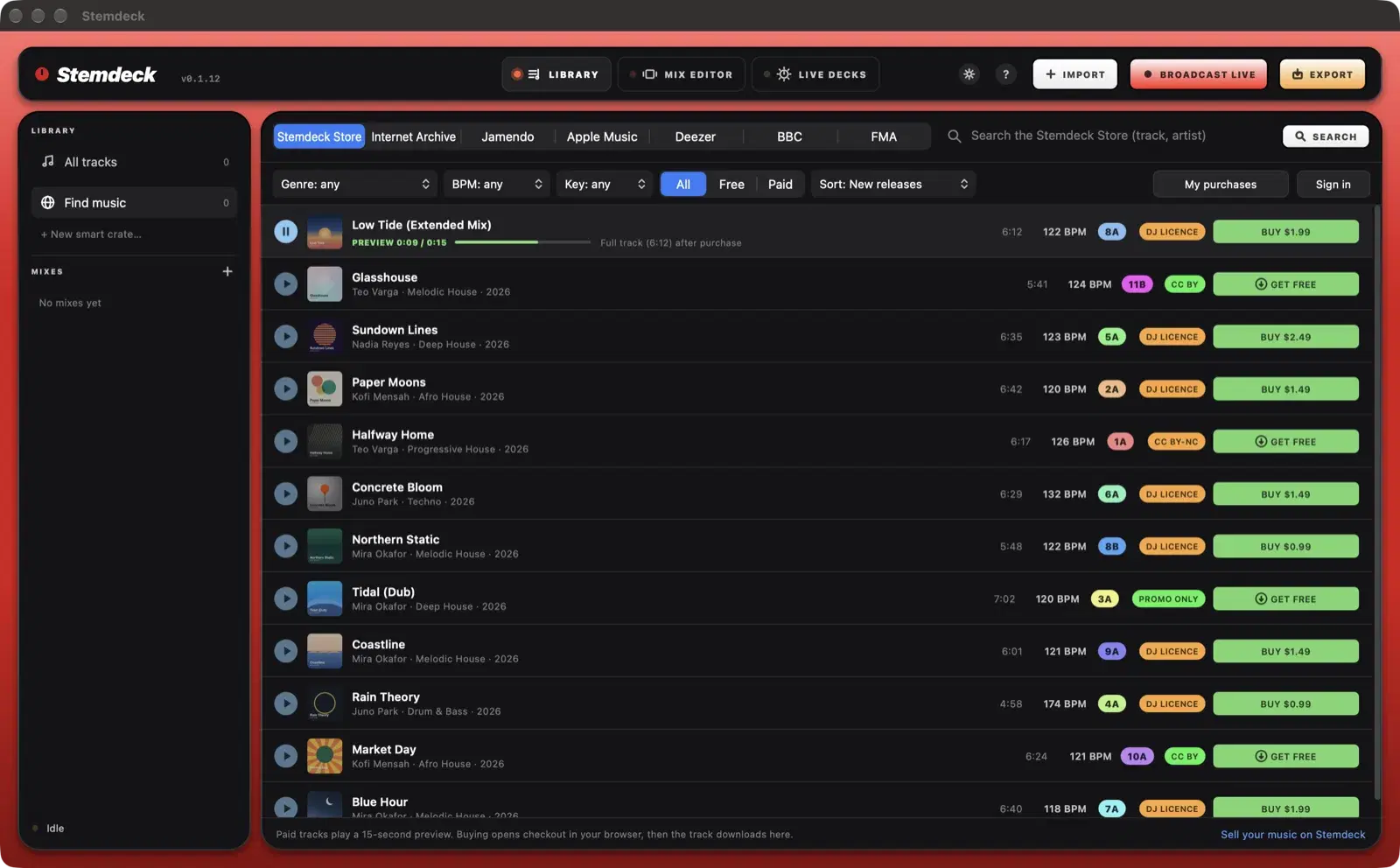
Preview a track
Click play on a row to hear its 15-second preview, picked by the artist. The full track is never streamed before you get it.
Sign in
- Click Sign in at the top of the StemDeckDJ Store list, type your email address and enter the 6-digit code we email you.
- To sign in with Google, click Continue in browser. Your browser opens stemdeckdj.app with a code like K7QP-M3XD; check it matches the one in StemDeckDJ and click Approve. StemDeckDJ signs in within a few seconds.
- The same account works on the website, where your library and purchases are too.
Get free tracks
Click Get on a free track. It downloads into your library, in your Music folder under StemDeckDJ, Downloads, StemDeckDJ Store, with its title, artist, genre and licence filled in.
Buy a track
- Click the price on a paid track. Checkout opens in your browser, run by Stripe.
- StemDeckDJ shows Waiting for payment while you pay, then downloads the track on its own.
- If you close the checkout by mistake, click Reopen checkout.
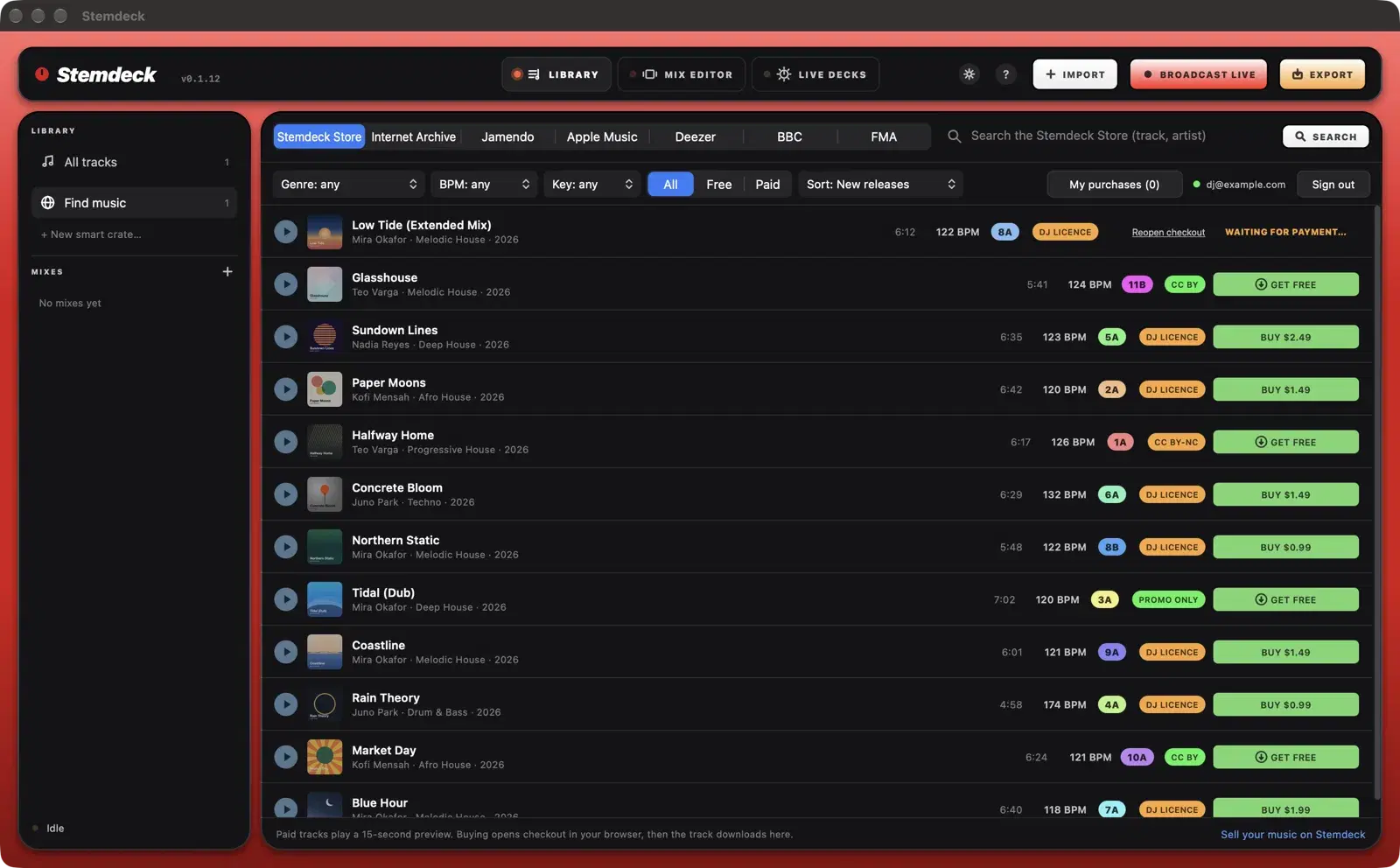
After you pay
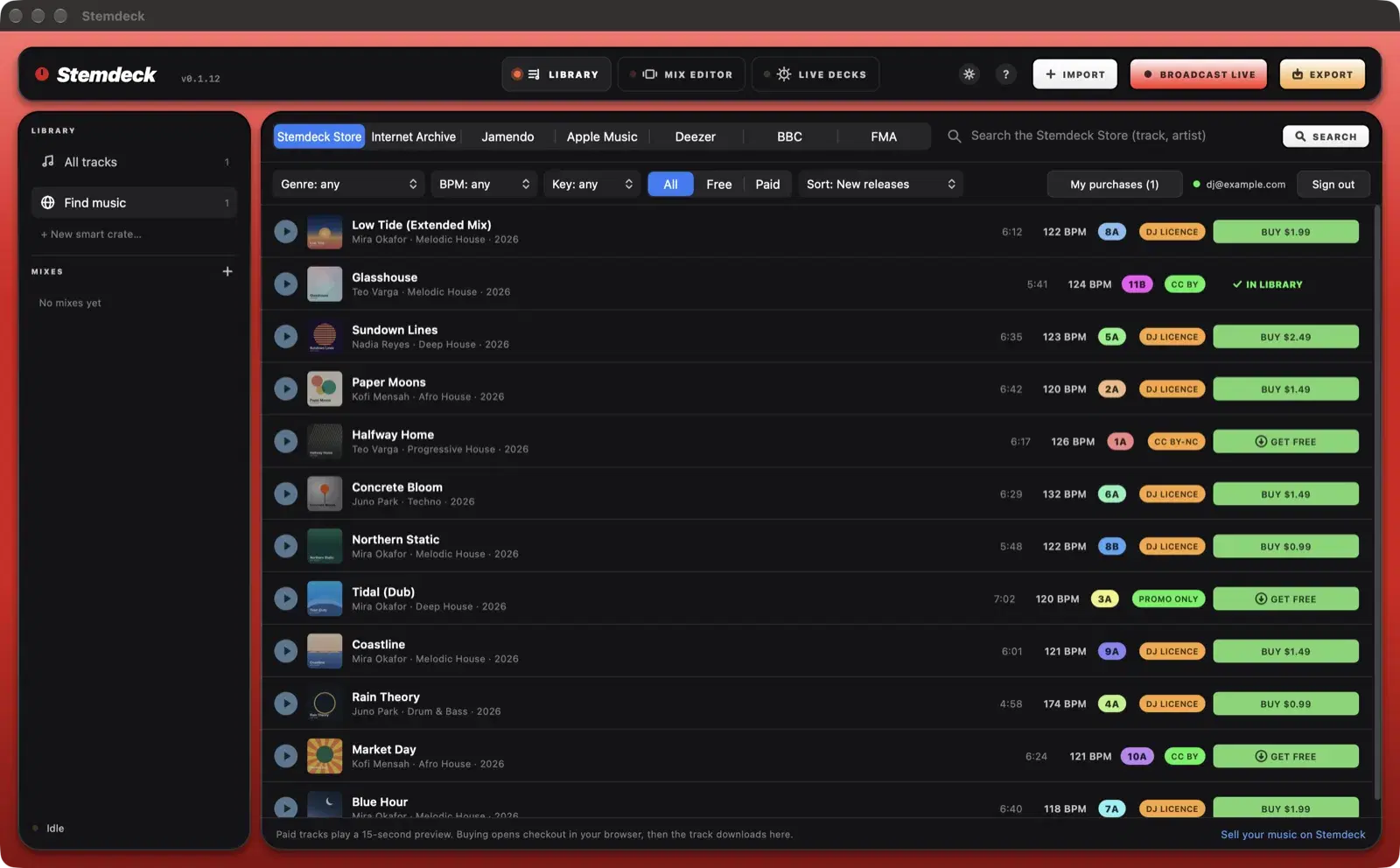
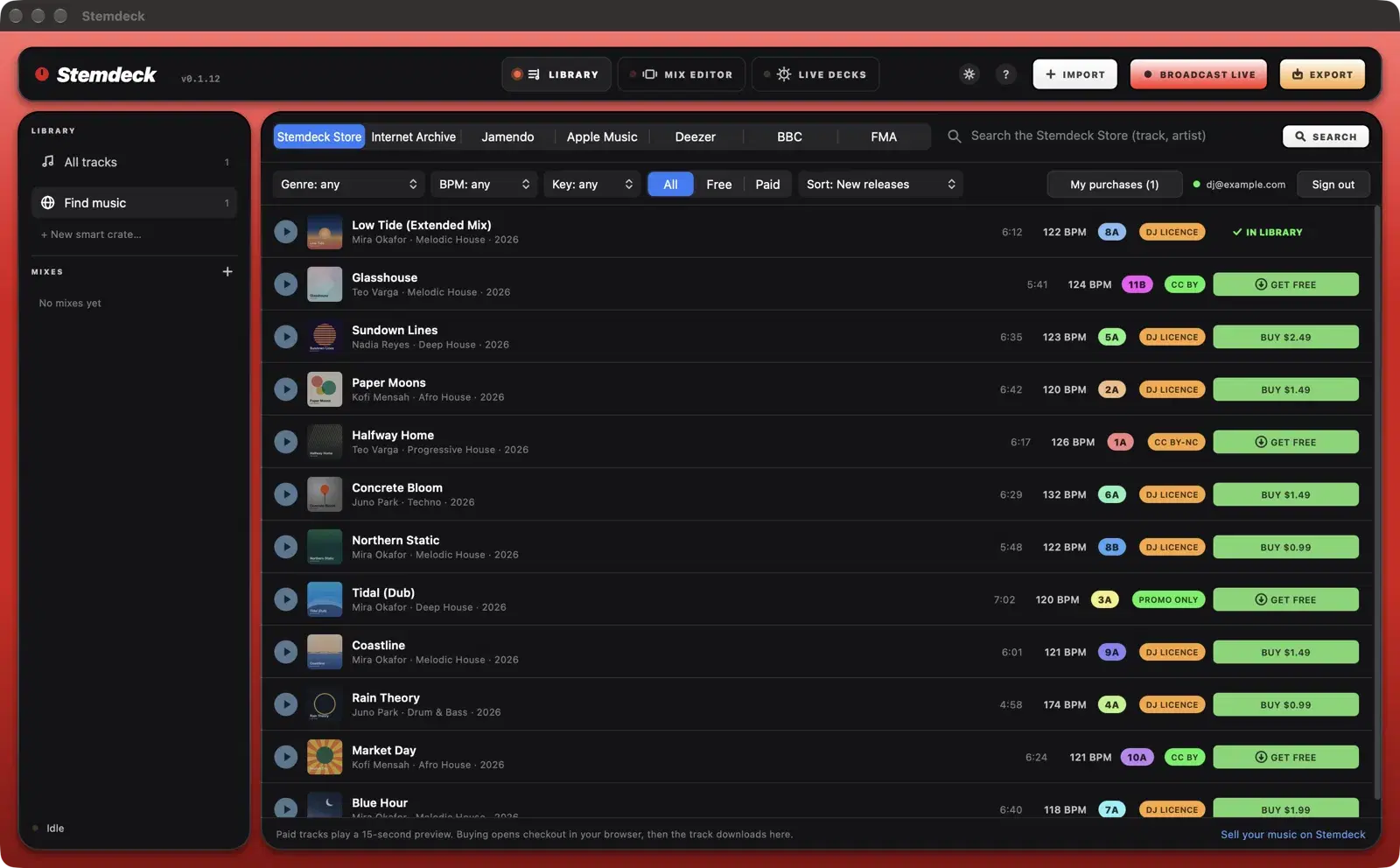
As soon as Stripe confirms the payment, usually within a few seconds, StemDeckDJ downloads the track into your library with its cover art, title, artist, genre and licence. The row shows In library and My purchases counts it.
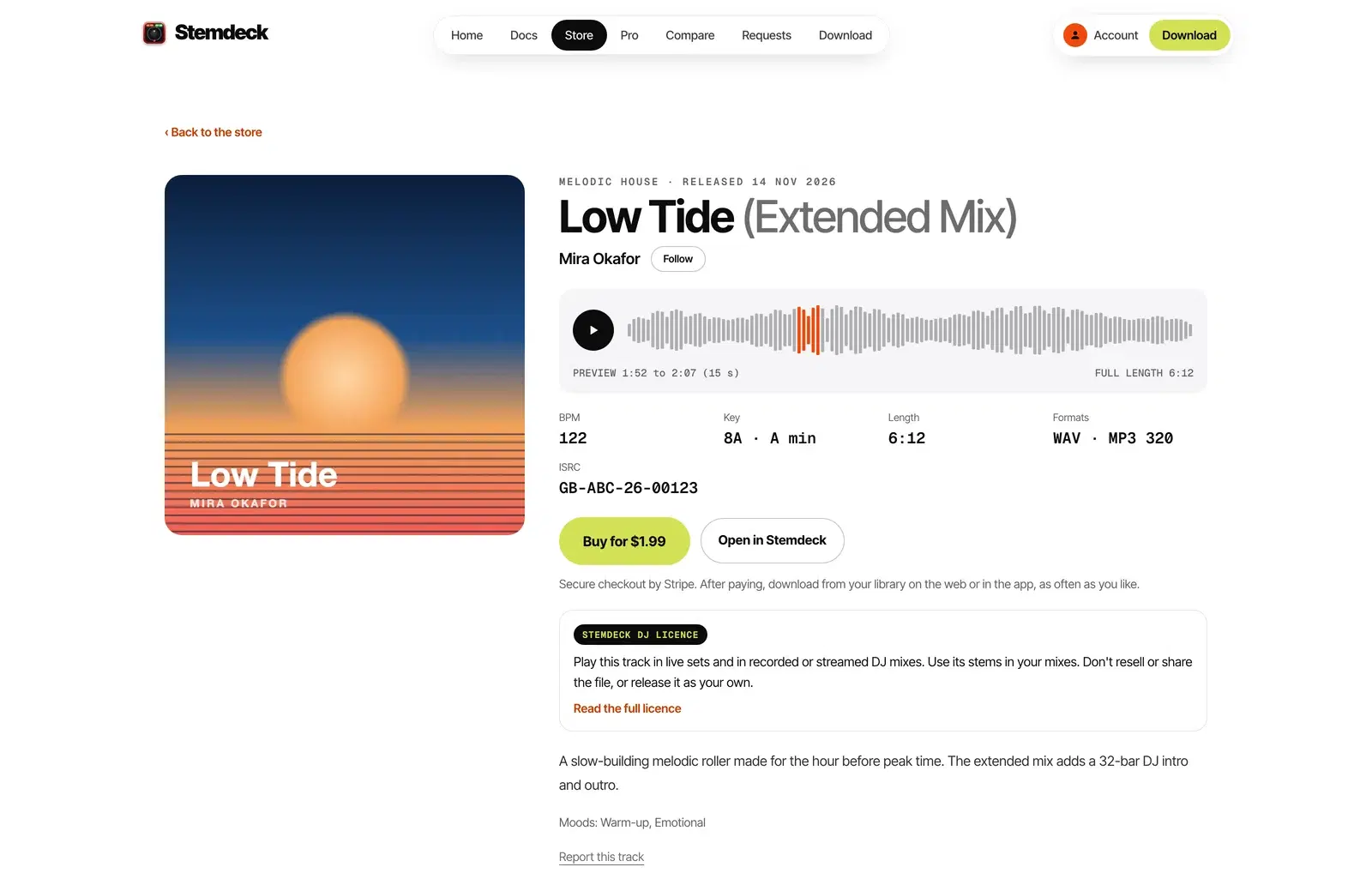
Buy and download on the website
Each track has its own page on stemdeckdj.app with the preview, the licence and Buy or Get. After paying you can download it as a WAV or a 320 kbps MP3 straight away, and it's in the app too.
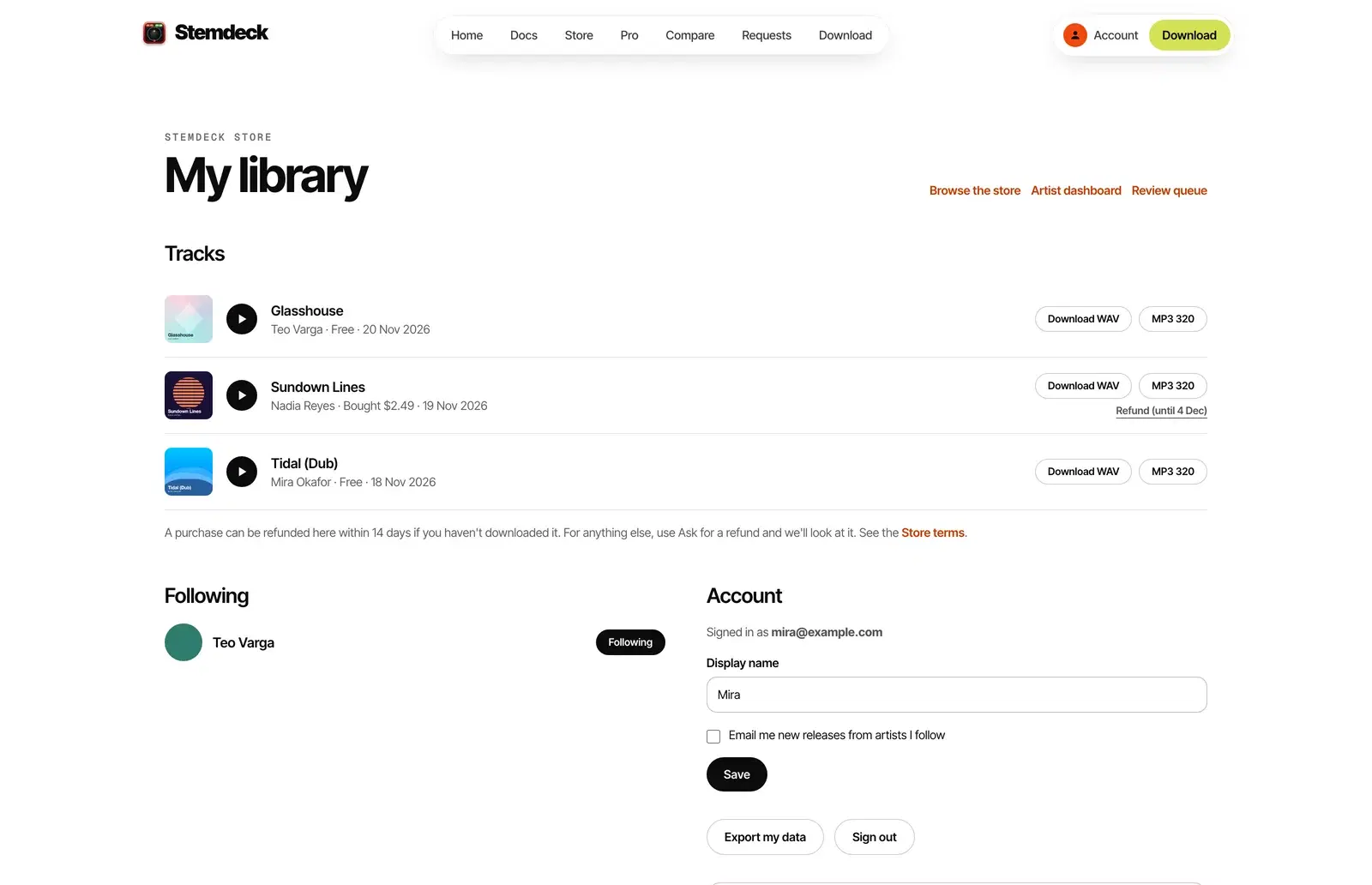
My purchases and downloading again
- Choose My purchases in the StemDeckDJ Store to list everything you've got or bought, and download any of it on this computer.
- On the website, My library has the same tracks with WAV and MP3 downloads, as often as you like.
- A purchase you haven't downloaded can be refunded from My library within 14 days. For anything else, use Ask for a refund there.
Licences
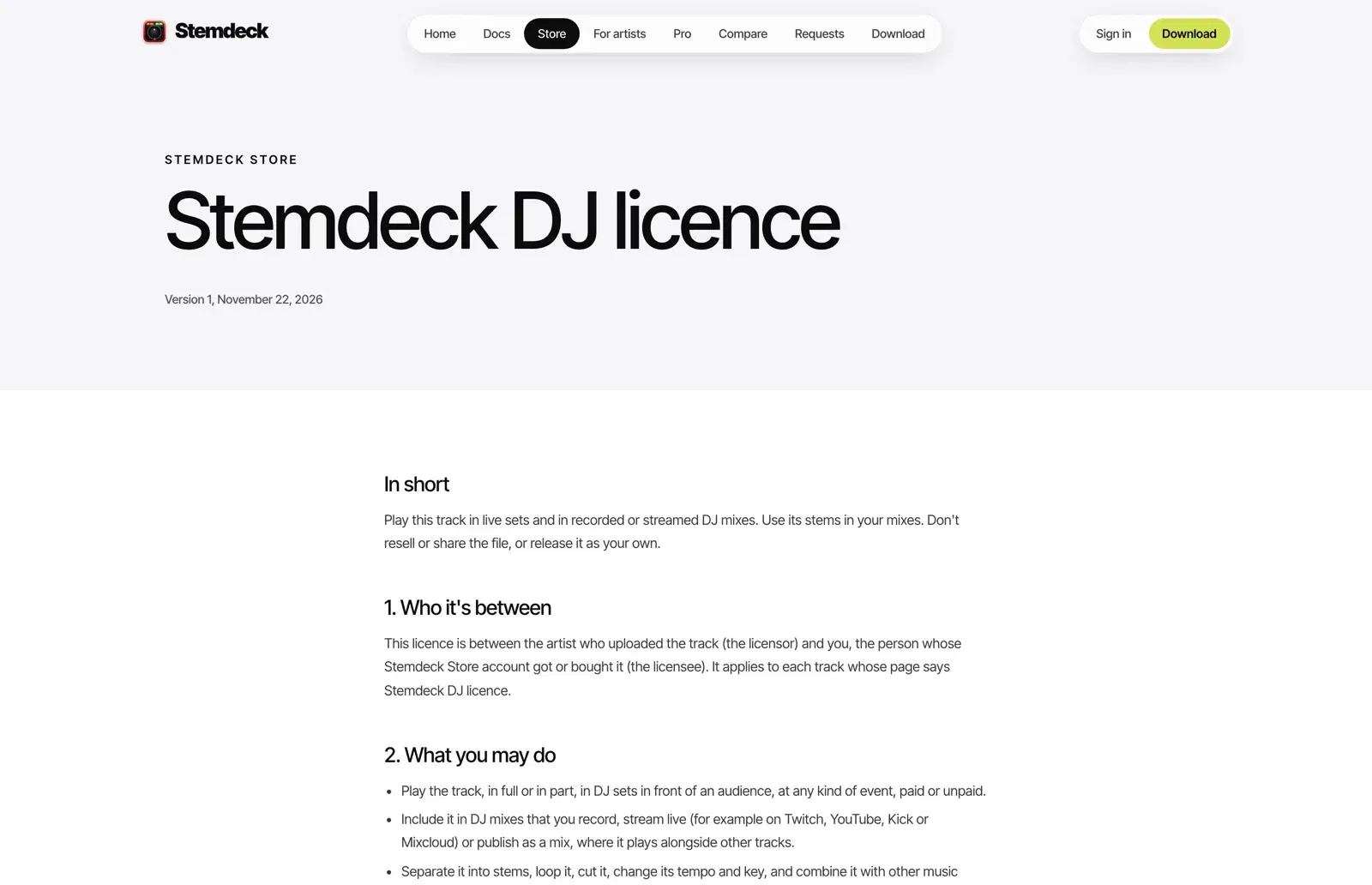
Each track shows its licence. With the StemDeckDJ licence you can play it in live sets and in recorded or streamed mixes, but not share or resell the file. Some artists choose CC BY or CC BY-NC instead, or Promo only.
Follow artists
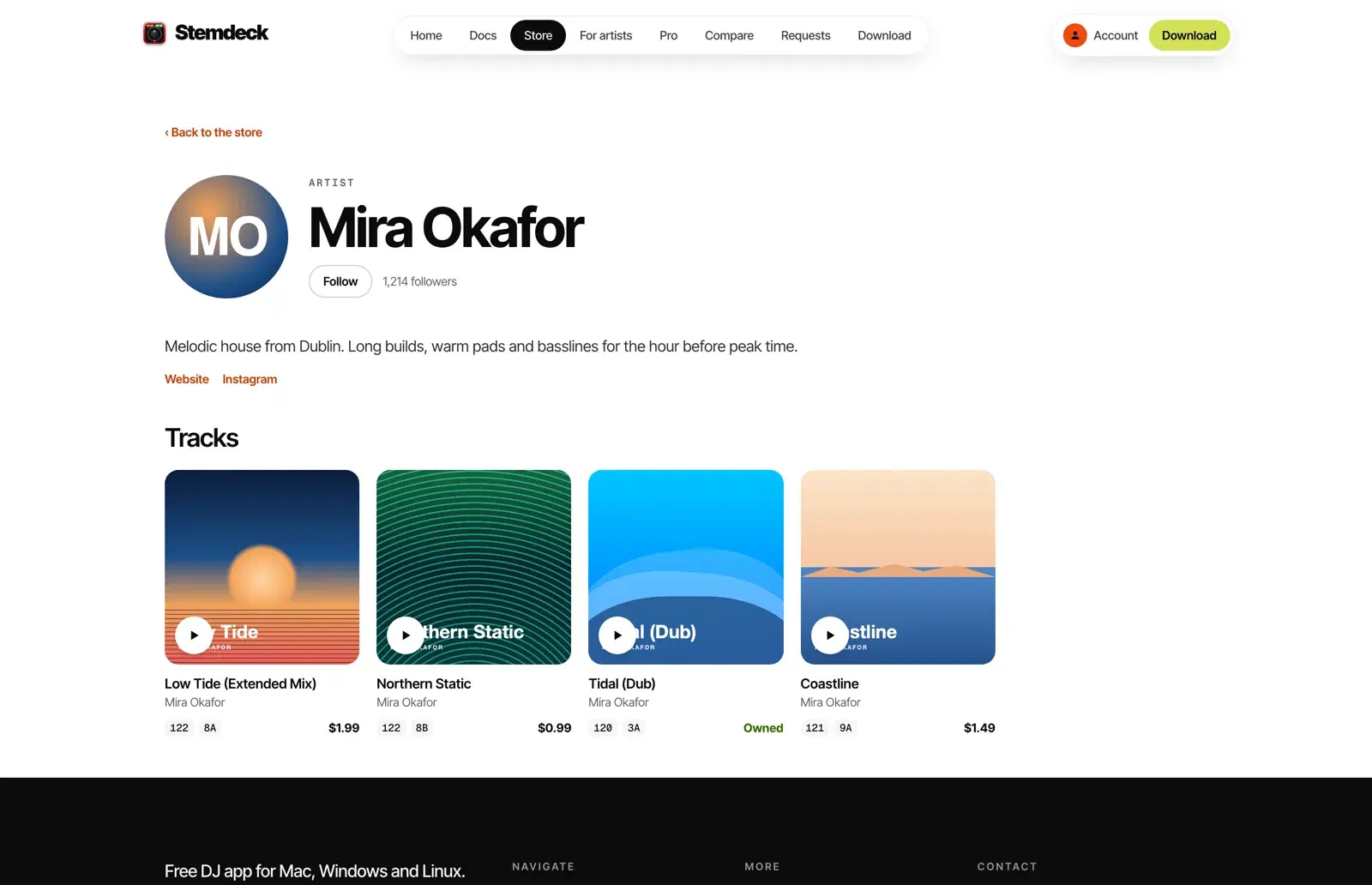
Follow an artist from their page on the website to see their new tracks first, and, if you choose, get an email when they release one.
Sell your own music
Anyone can sell or give away their own tracks on the StemDeckDJ Store, from the website. DJs find them here and in Find music with BPM, key and stems ready, and artists see previews, sales and deck plays for every track.
Questions
Do I need an account to preview tracks?
No. Browsing and 15-second previews work without one. You need a free account to get or buy a track.
Which formats do I get?
WAV (16-bit, 44.1 kHz) or 320 kbps MP3, whichever you choose, as often as you like.
Can I get a refund?
Yes, within 14 days if you haven't downloaded the track: use Refund in My library on the website. Otherwise, use Ask for a refund there and tell us what's wrong; we look at each request.
Can I play store tracks on a live stream?
Tracks with the StemDeckDJ licence or a Creative Commons licence can be played in streamed and recorded mixes. Promo only tracks can be played in sets and mixes but not shared.
Try it in StemDeckDJ
Free downloads for Mac, Windows and Linux, with the stem models included. Coming soon to the Mac App Store for Macs with Apple silicon.