
 StemDeckDJ
Prepare USB drives for older Denon DJ players, without Music Manager
Denon DJ Music Manager prepared music for Denon's older media players and USB controllers, like the DN-S1200, DN-S3700, HS5500, DN-HC5000 and DN-HD2500. It's discontinued, never ran on a Mac, and Engine DJ doesn't support those players. From 0.1.12, StemDeckDJ does the job on Mac, Windows and Linux.
Export for Denon player puts your tracks on a USB drive the way those players read them: MP3s with their BPM, key and genre in the tags, everything else as WAV, in folders the player browses straight away. StemDeckDJ can add each track's stems too, so you can play a vocal on one deck and the beat on the other on hardware that never split stems.
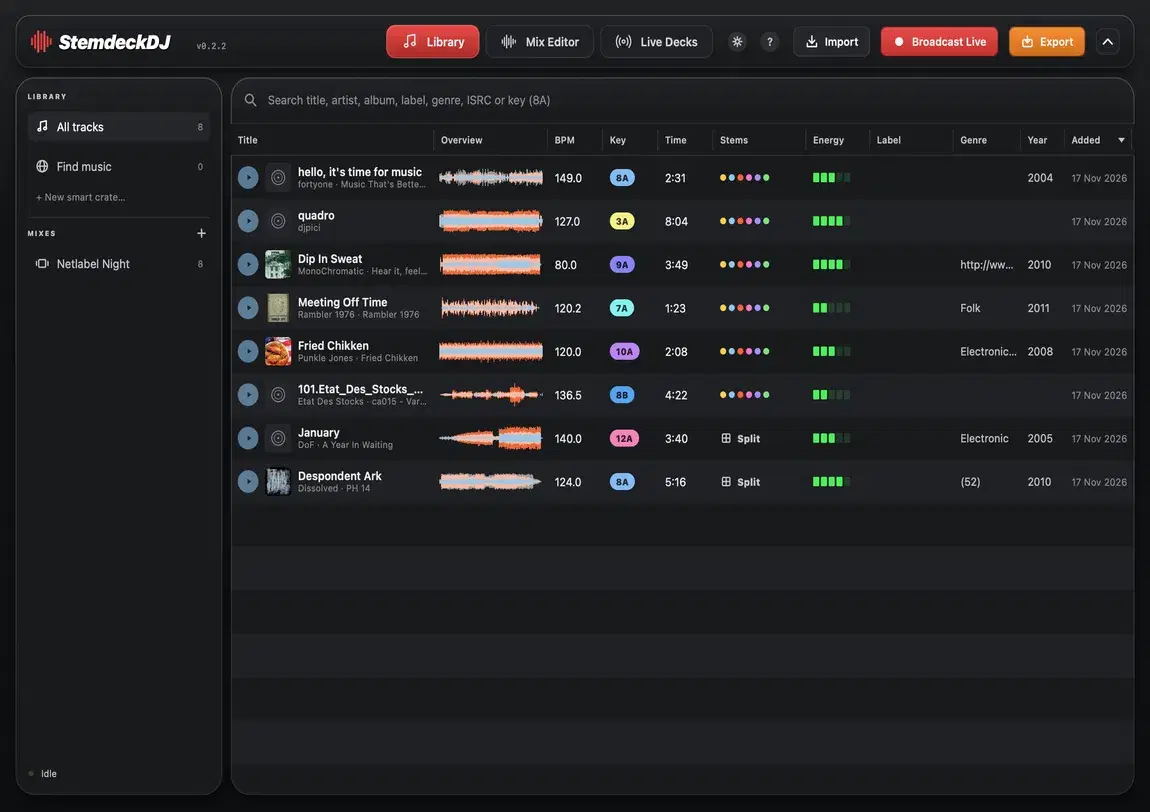
Export for Denon player
- In the library, select the tracks, right-click and choose Export for Denon player. They go on the drive in the order you selected them.
- From the mix editor, right-click a track on the timeline and choose Export for Denon player. If you've edited it in the mix (stem levels, drawn dots, automation, cue in or out), Export for Denon player with these edits bounces it with those edits first, so the player plays the version you made (from 0.2.2).
- Save to lists the USB drives that are plugged in, with their free space. Choose a folder writes anywhere else, to copy to a drive later.
- StemDeckDJ checks the drive's format. The players only read FAT32 (or FAT16): if the drive is exFAT, NTFS or a Mac format, the window says so, and you can format it as FAT32 (MS-DOS FAT on a Mac) first.
- Folder on the drive names the folder the tracks go in (StemDeckDJ by default), so one drive can hold several sets.
- Number the files adds 001, 002 and so on, so the player lists them in your order.
- Also the stems of split tracks writes each split track's vocals, drums, bass and other (and guitar and piano for six stems) as WAV files in a Stems folder next to it.
What's on the drive
- MP3s are copied as they are, sound untouched, with fresh tags the players read: title, artist, album, genre, BPM, key and the cover. Tags from Music Manager or other apps that StemDeckDJ doesn't write itself are kept.
- Every other format (FLAC, AAC, AIFF, OGG and the rest) becomes a 16-bit, 44.1 kHz WAV, which the players play.
- Names use plain letters the players' displays can show: Beyoncé becomes Beyonce.
- The players read up to 1,000 files in a folder, so a bigger set is split into StemDeckDJ 1, StemDeckDJ 2 and so on, and up to 50,000 files on a drive.
On the player
Plug the drive in, browse its folders and load a track: the players play files from folders without any database. To search by title, artist, genre or BPM, build the database on the player itself (DB Create on the DN-S1200, DN-S3700 and HS5500). It reads the BPM and other tags StemDeckDJ wrote. Eject the drive from your computer before you unplug it.
What Music Manager did that StemDeckDJ doesn't (yet)
Music Manager could also write waveform overviews and break points into each MP3 for the players to show. Denon never published that format, so StemDeckDJ doesn't write them yet, and it keeps them in MP3s that already have them. BPM, key, tags, folders, WAV conversion and stems all work today.
Questions
Which Denon players does it work with?
The older Denon DJ media players and controllers that read USB drives or discs prepared by Music Manager, such as the DN-S1200, DN-S3700, HS5500, DN-HC5000 and DN-HD2500. They read MP3 and WAV from FAT32 drives. Newer Denon players (Prime, SC5000, SC6000) use Engine DJ instead.
Can I still download Denon DJ Music Manager?
Denon no longer offers it or supports it, and there was never a Mac version. StemDeckDJ prepares the same kind of drive on Mac, Windows and Linux, from 0.1.12.
Will the player show the BPM?
Yes for MP3s: StemDeckDJ writes each track's BPM, key and genre into the MP3's ID3 tags, which the players read when browsing and when you run DB Create. WAV files carry the title and artist only.
Does it change my music files?
No. StemDeckDJ writes copies to the drive. Your library's files stay as they are.
Try it in StemDeckDJ
Free downloads for Mac, Windows and Linux, with the stem models included. Coming soon to the Mac App Store for Macs with Apple silicon.